Customize the single product page
Store owners and marketplace admins use the Single Product template to control how each product appears to shoppers. You add blocks such as the product title, price, and add-to-cart button, then adjust their settings in the editor.
Open the Single Product template
Section titled “Open the Single Product template”- Go to Designs → Themes.
- Select Customize on your current theme card.
- Select the Single Product template, then select Edit.
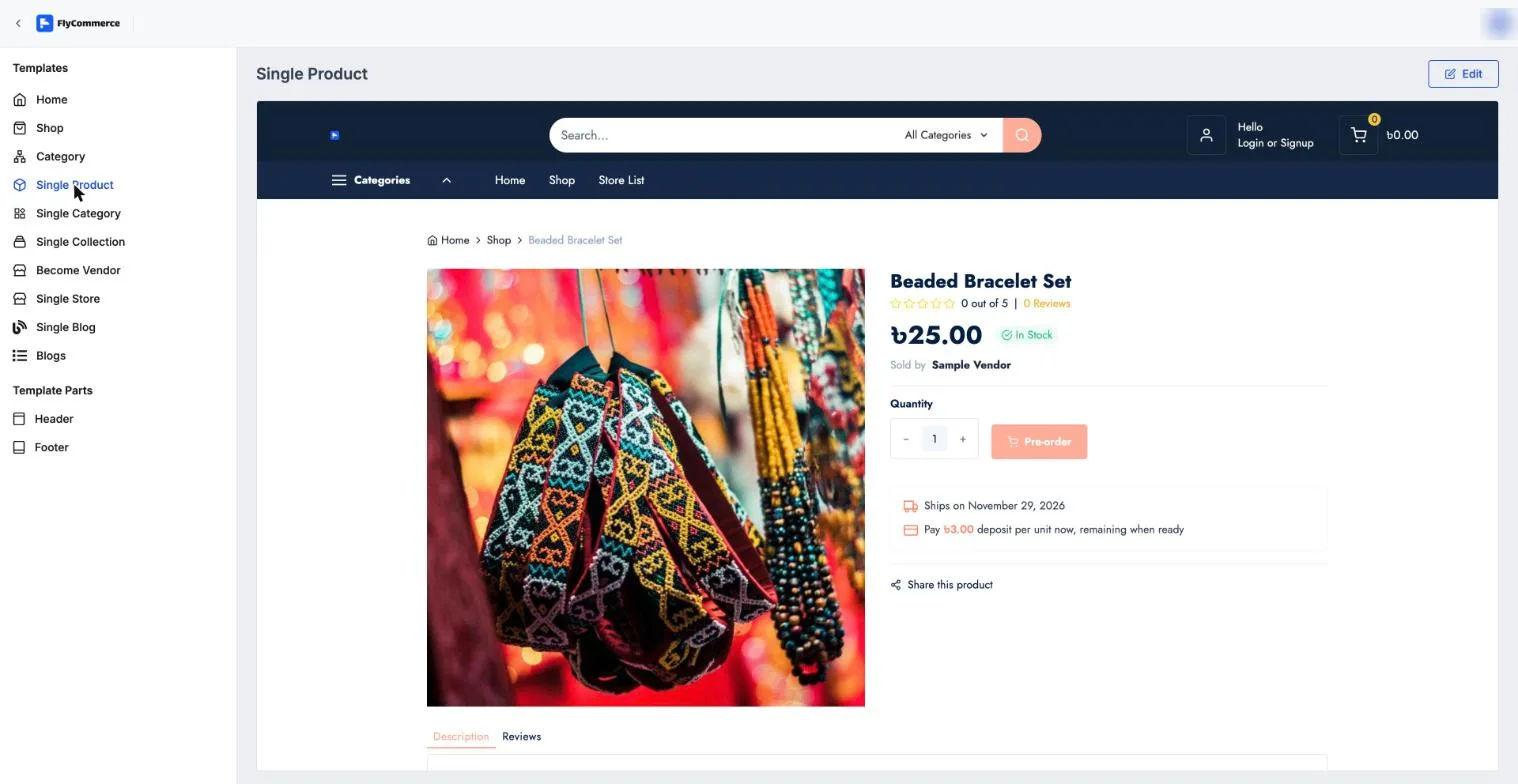
Preview the Single Product template before you open the editor.
Add and arrange blocks
Section titled “Add and arrange blocks”- In the INSERT panel on the left, open the Template blocks group. It lists the blocks for the single product page.
- Drag a block onto the page where you want it.
- Select the block to change its settings, then repeat for the other blocks you need.
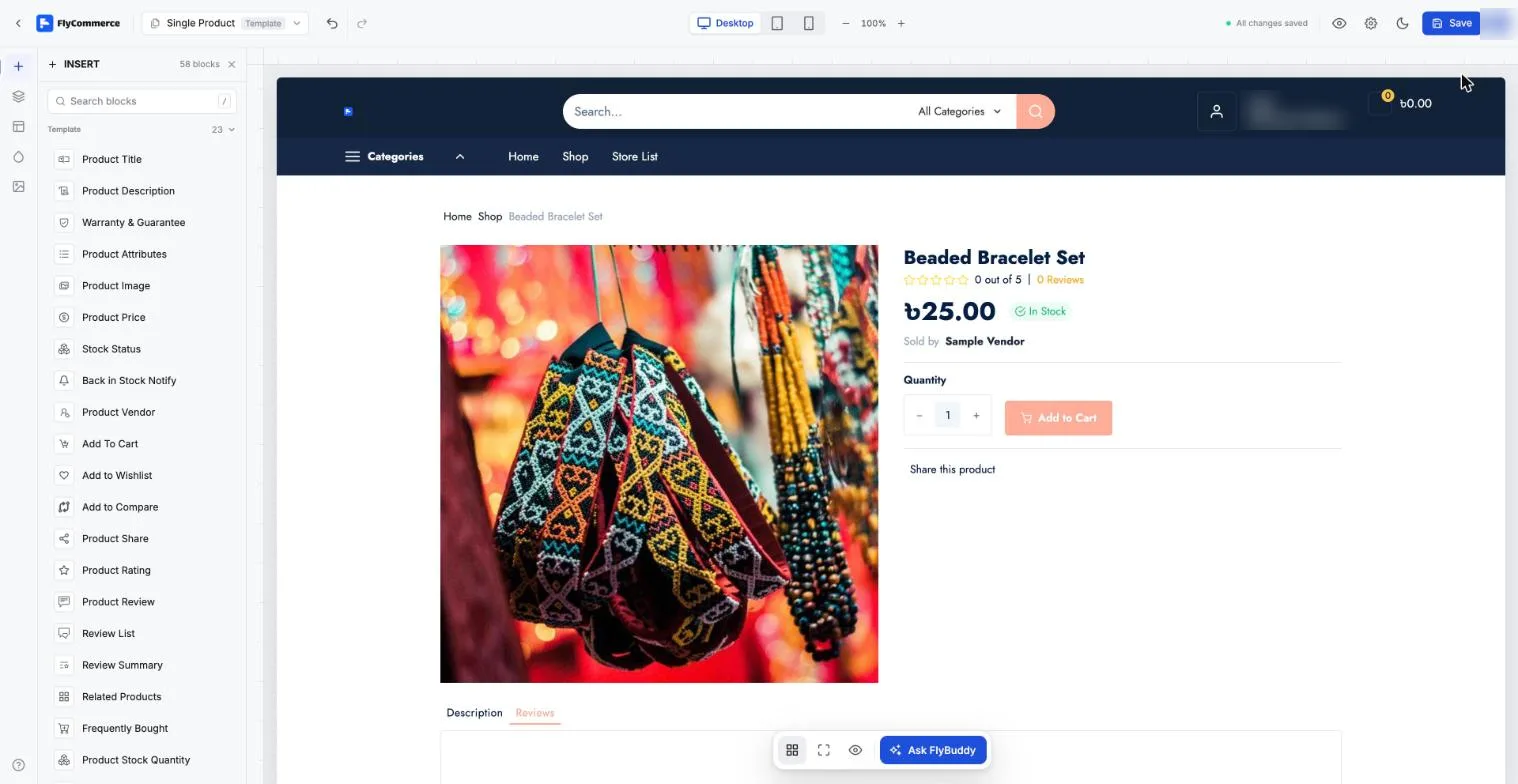
The single product editor lists the product blocks you can place on the page.
The Single Product template includes these blocks:
| Block | What it shows |
|---|---|
| Product Title | The product name |
| Product Description | The product description |
| Product Image | The product photos |
| Product Price | The regular and sale price |
| Product Rating | The product’s star rating |
| Product Review | The product’s review content |
| Review List | The list of customer reviews |
| Review Summary | A summary of the product’s reviews |
| Stock Status | Whether the product is in stock |
| Product Stock Quantity | The remaining stock quantity |
| Back in Stock Notify | The back-in-stock notify option |
| Add To Cart | The add-to-cart button |
| Add to Wishlist | The wishlist button |
| Add to Compare | The compare button |
| Product Share | Share options for the product |
| Product Vendor | The vendor who sells the product (marketplace stores) |
| Product Attributes | The product’s attribute values |
| Warranty & Guarantee | The product’s warranty or guarantee |
| Related Products | Similar products |
| Frequently Bought | Products often bought together |
| Questions And Answers | Customer questions and answers about the product |
| Report Abuse | The option to report the product |
To group several blocks, such as the description and reviews, into one area, use Tabs from the Basic group.
Style and preview the blocks
Section titled “Style and preview the blocks”Each block has settings for colors, typography, spacing, borders, and responsiveness. Adjust them block by block so the product page matches your brand.
- Use the Desktop, Tablet, and Mobile buttons to check each layout.
- Select Save in the top bar.