Skip to content

Shipping and Delivery

Shipping and Delivery

Build shipping profiles, set cutoffs and quote the right rate at checkout.

  • Online Store
  • Multi-Vendor Marketplace
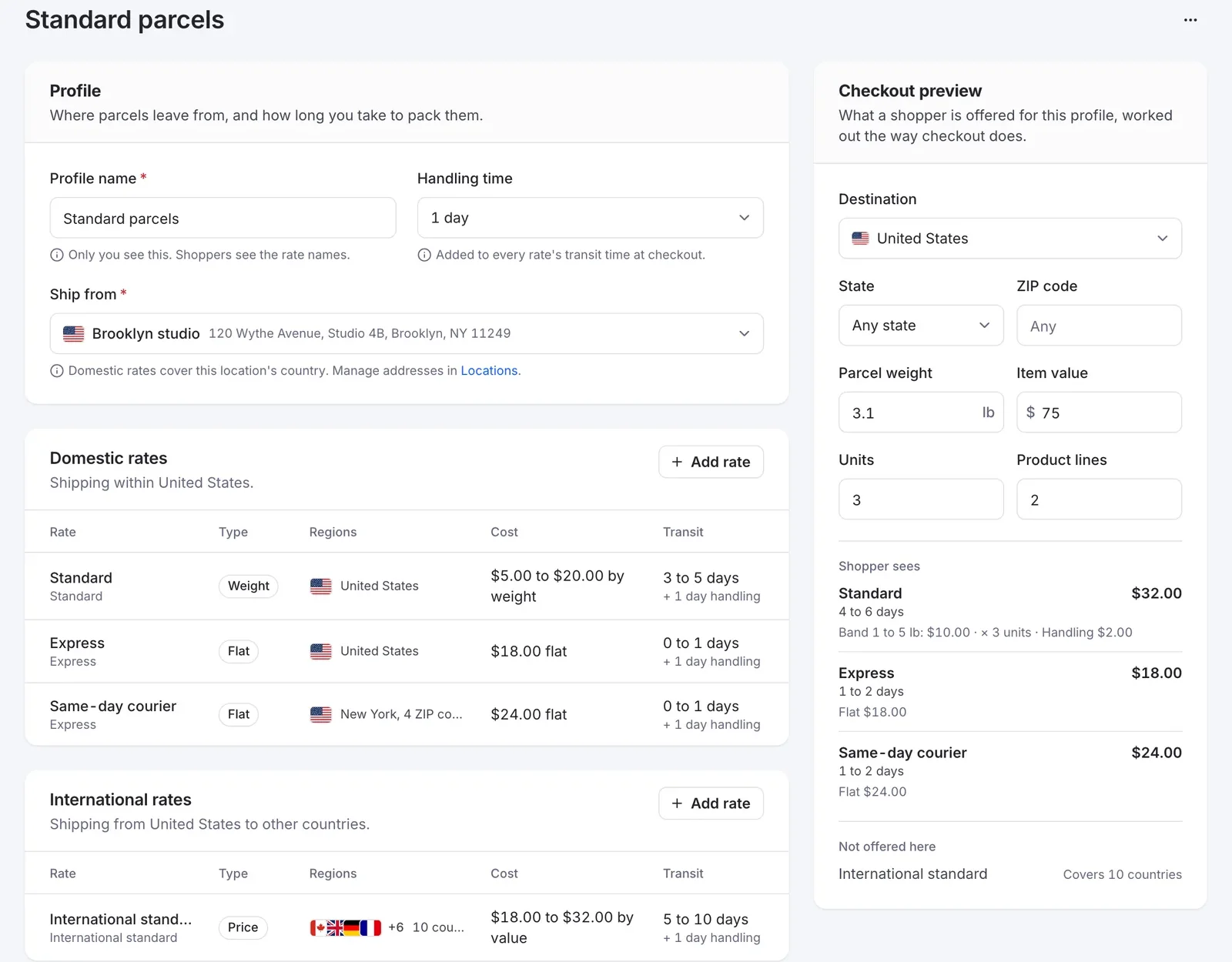
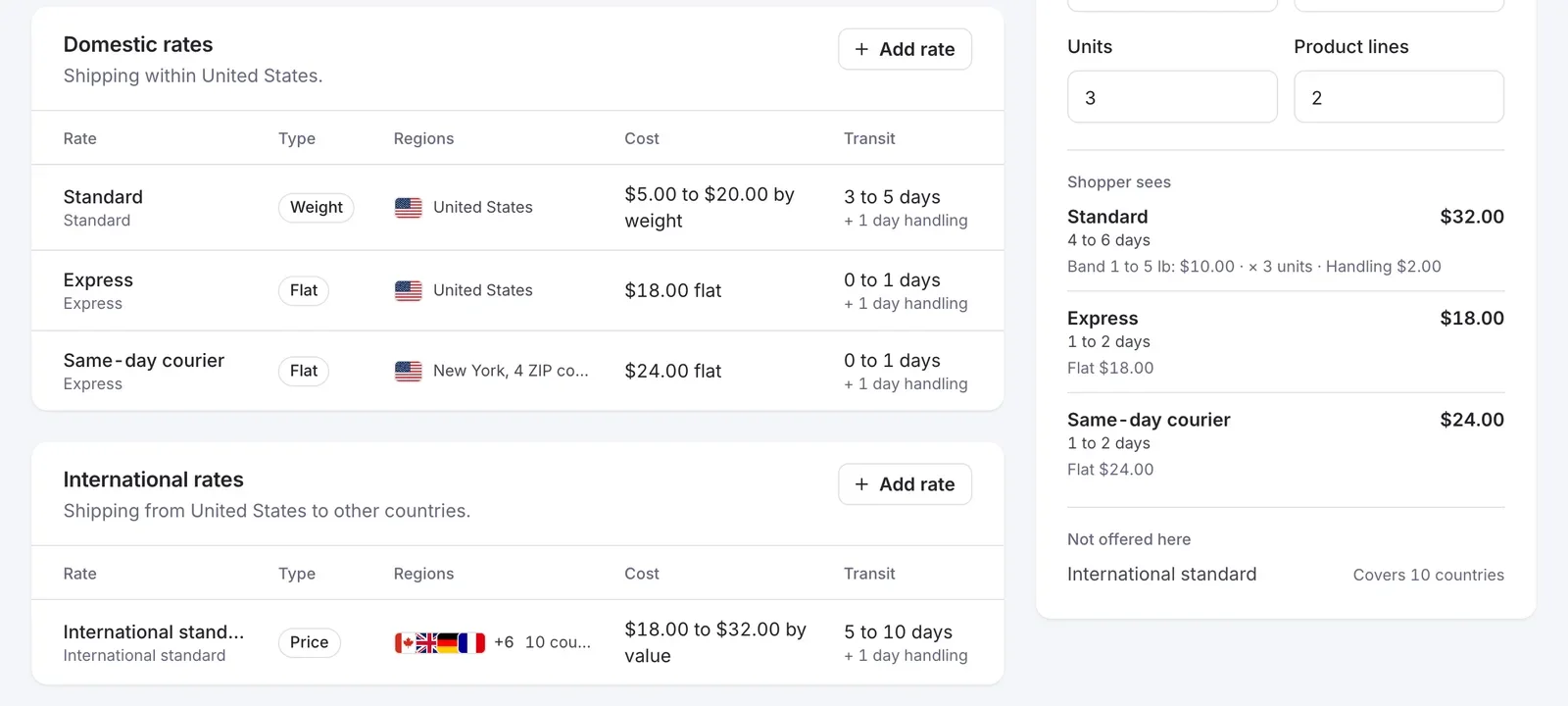
Shipping profile with domestic and international rates and a checkout preview in the FlyCommerce admin

The problem

Wrong shipping costs and vague delivery times lose orders

Start Your Store Free

For store owners

One flat fee rarely fits every order

A heavy order to another country costs more to ship than a light one across town. If your rates do not reflect that, you either overcharge shoppers or absorb the difference.

Shoppers also want to know when an order will leave and when it will arrive before they pay.
For marketplace founders

Every vendor ships from a different place

Vendors ship from different addresses, with different carriers and handling times. Left alone, each one sets shipping up differently.

You need a way to keep shipping rules consistent while still letting vendors charge what their shipments really cost.

How it works

From shipping settings to a rate at checkout

  1. Choose where you ship

    Turn on shipping in Settings, then pick the countries you ship to or exclude the ones you do not. Name shipping types such as Domestic and International.

  2. Set preferences and a cutoff

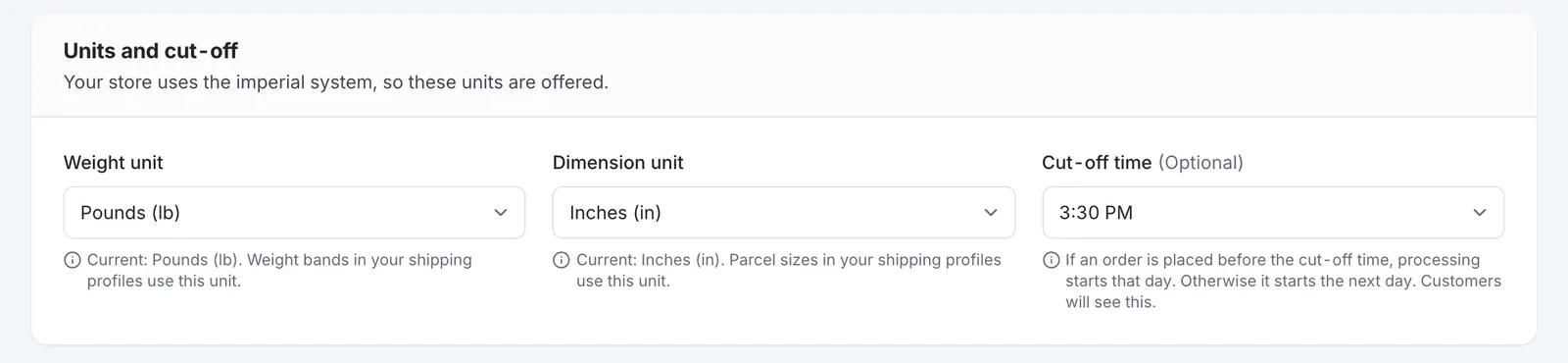
    Pick weight and dimension units and set a cutoff time that decides when the day's shipping process starts.

  3. Build a shipping profile

    Add a Ship From location, a handling time, and the regions you cover. Use ZIP codes to charge different rates inside the same state.

  4. Pick a rate type

    Use weight-based, price-based, or flat rate shipping, with transit times, a handling fee, and free shipping above a minimum order amount. Or use carrier-based shipping to quote live rates through a connected service, such as global carriers via Shippo or OTO for the Middle East.

  5. Marketplaces set shared rules

    Marketplace admins can give vendors preset shipping profiles, lock them, choose which carriers vendors can use, and restrict the countries the marketplace ships to.

  6. Checkout shows the rate

    Rates are calculated on the server from the cart's items and address and held for up to 60 minutes. Each shipment needs a selected rate before payment.

  7. Track the delivery

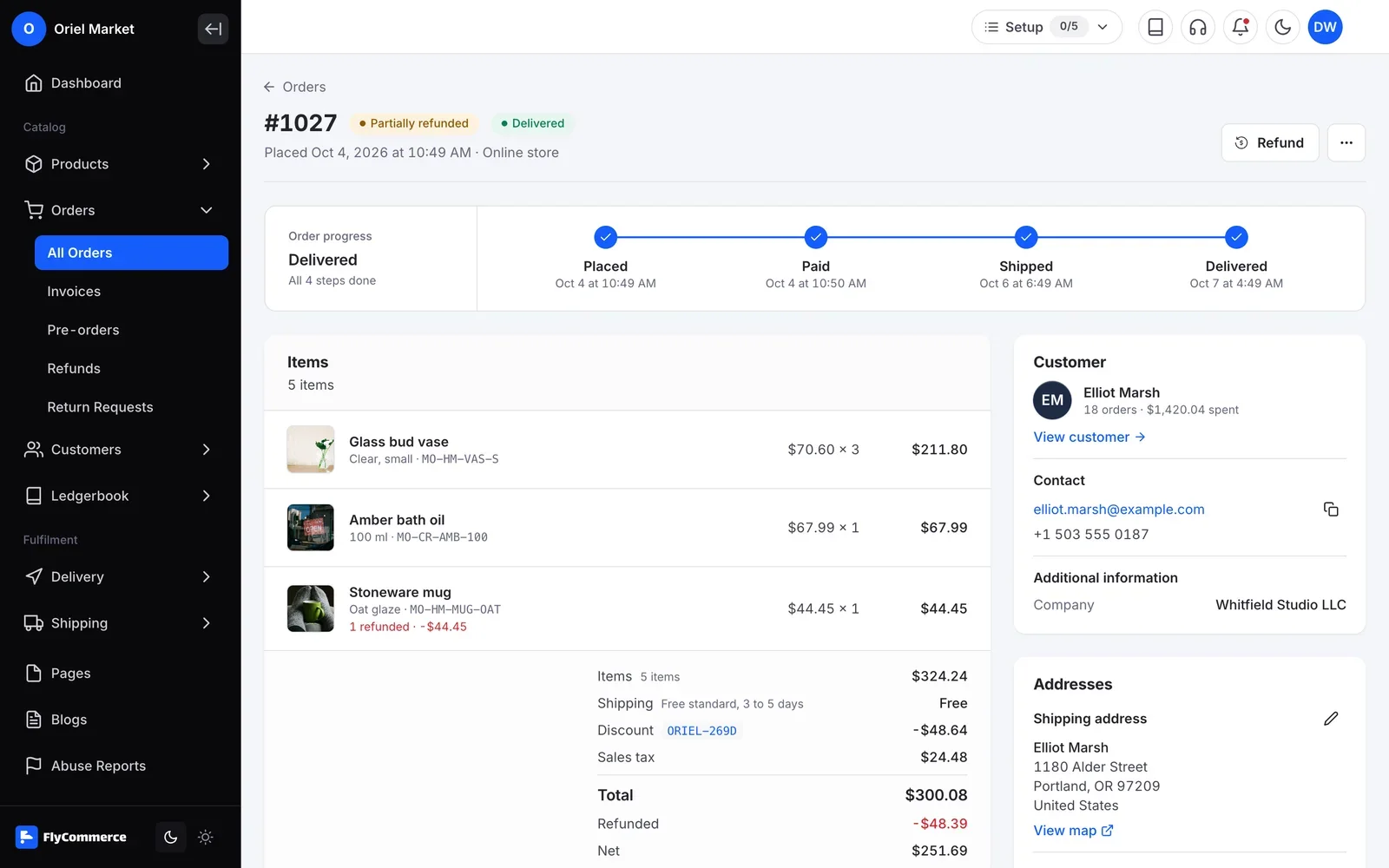
    Shipment tracking gets automatic carrier updates, split shipments show progress per parcel, and customers see an estimated delivery window on their order details page.

In your dashboard

Shipping and Delivery, managed from one place

FlyCommerce lets you choose where you ship, build shipping profiles with weight, price or flat rates, and set handling times and order cutoffs. You can also connect a carrier service so checkout shows live carrier rates.

Fully hosted. No setup. No hosting. No plugins. Just your store.

One flat fee rarely fits every order

Availability

Where you can use it

Online Store

For brands and shops that sell their own products from one store.

  • Included
  • Fully hosted

Multi-Vendor Marketplace

For founders who run a marketplace where many vendors sell.

  • Included
  • Fully hosted

Check current plan details on the pricing page.

Every vendor ships from a different place

Vendors ship from different addresses, with different carriers and handling times. Left alone, each one sets shipping up differently.

Every vendor ships from a different place
  • Online Store
  • Multi-Vendor Marketplace

Shipping and delivery FAQs

Can’t find the answer here?Contact support

Quote the right shipping rate on every order

Shipping and delivery settings are part of FlyCommerce. Fully hosted, with nothing to install.