Vendor analytics and reporting
FlyCommerce shows sales performance in two places. The admin Dashboard covers the whole marketplace, and each vendor’s profile shows that vendor’s totals. Marketplace admins use these figures to track gross sales, net revenue, commissions, refunds, and new vendors.
Read the dashboard cards
Section titled “Read the dashboard cards”Open Dashboard in the admin sidebar. The cards at the top show today’s figures:
- Gross Sales
- Net Revenue
- Commissions
- Refunded
- New Customer
- Orders
Below the cards, the Sales Report chart plots Gross Sales, Net Revenue, and Commission over time.
Compare periods
Section titled “Compare periods”The Report Overview lets you choose a period and compare it with another one.
- Open Dashboard in the admin sidebar.
- In Report Overview, choose a period, such as This Month.
- Set Compared to to the period you want to compare against, such as Last Month.
- Review the metrics: Net Revenue, Gross Sales, Orders, Average Order Value, Average Order Item, Refunded, Refunds, Commissions, and New Vendor.
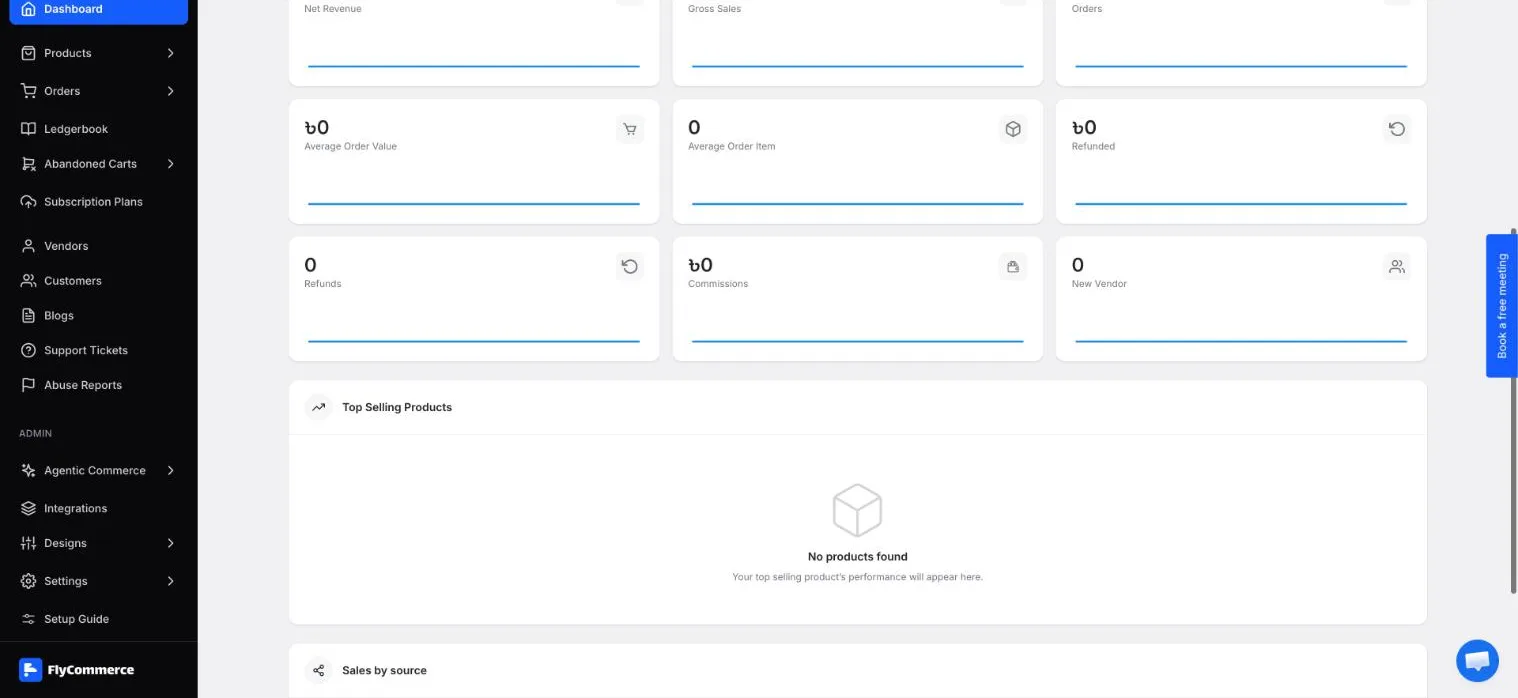
The Report Overview compares the selected period with an earlier one.
Check top products and sales by source
Section titled “Check top products and sales by source”Two panels below the report help you see where sales come from:
- Top Selling Products ranks the products that sold most in the selected period.
- Sales by source shows the source FlyCommerce recorded for each order. If the period has no orders, the panel shows “No orders in this period.”
Review vendor profile stats
Section titled “Review vendor profile stats”Each vendor’s profile shows a set of totals for that vendor’s store: Total Orders, Items Sold, Gross Sales, Total Earnings, and Review.
- Open Vendors in the admin sidebar.
- Select the vendor’s store name.
- Review the stats in the profile’s Overview section.
Understand attribution limits
Section titled “Understand attribution limits”Sales figures and sales sources are useful for trends, but they do not explain every visit or sale. Keep these limits in mind:
- Sales by source reflects the source FlyCommerce recorded for each order. It is not a full record of every visitor.
- Google Analytics 4 measures visitor activity separately. If you connect it, its numbers may not match FlyCommerce’s figures because the two tools record and attribute activity differently.
- Tracking only runs when analytics is enabled. Go to Integrations → Google Analytics and check the Enable Analytics toggle. When it is off, browsing activity by marketplace visitors is not tracked.
- Commissions depend on the vendor’s subscription plan. For example, a plan with 10% plus a flat ৳5 charges ৳15 on a ৳100 item. Check your plan settings in Subscription plans and any category rules in Vendor category commissions.
After a sale, check the order’s commission in the Ledgerbook to confirm the amount.