Mailchimp
To send emails to your customers regarding different notifications, you can use the FlyCommerce Mailchimp integrations. Mailchimp is a popular email marketing software that more than 14 million users use.
Let’s see how to integrate FlyCommerce with Mailchimp.
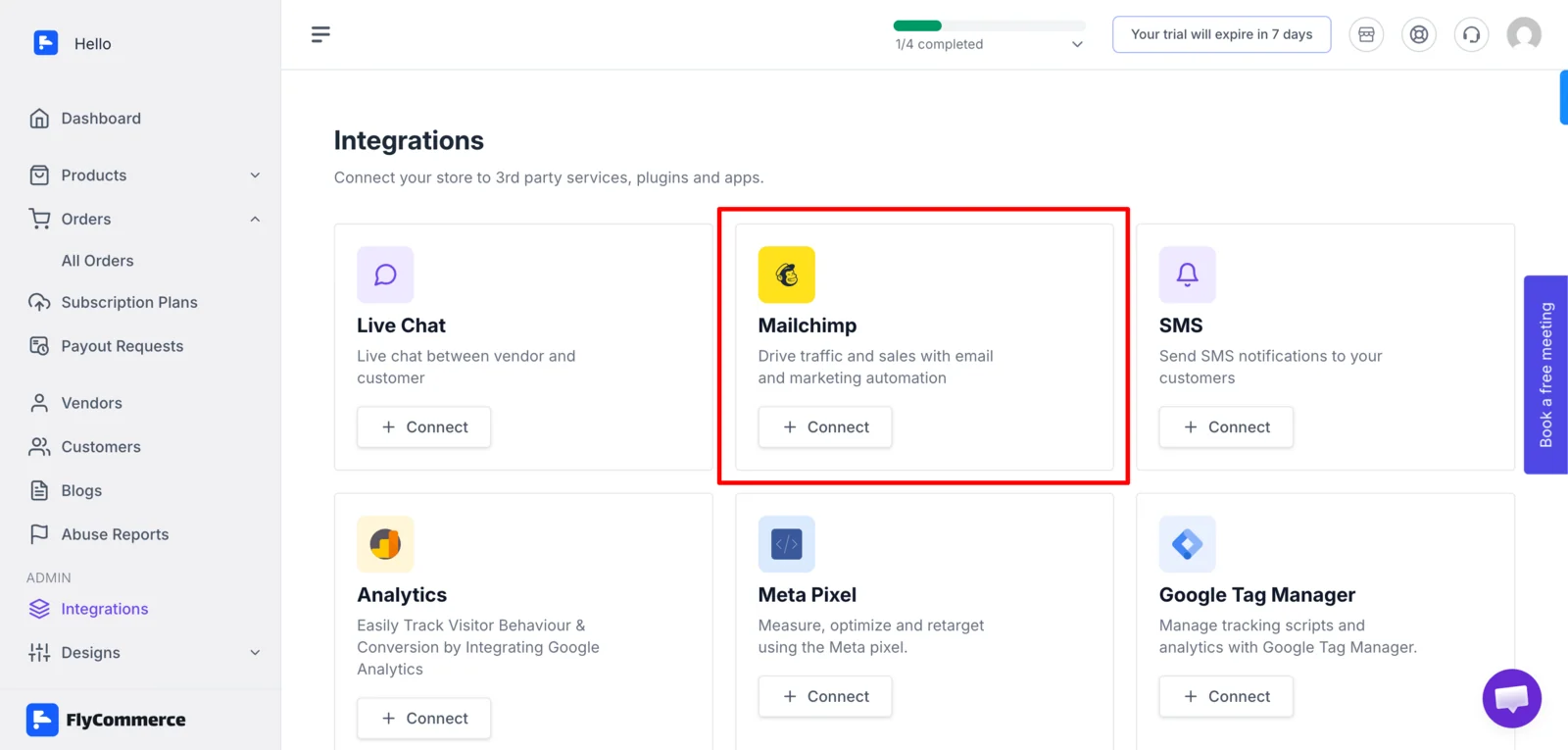
Log in to your FlyCommerce dashboard and go to Integrations and click on the Connect button on Mailchimp,
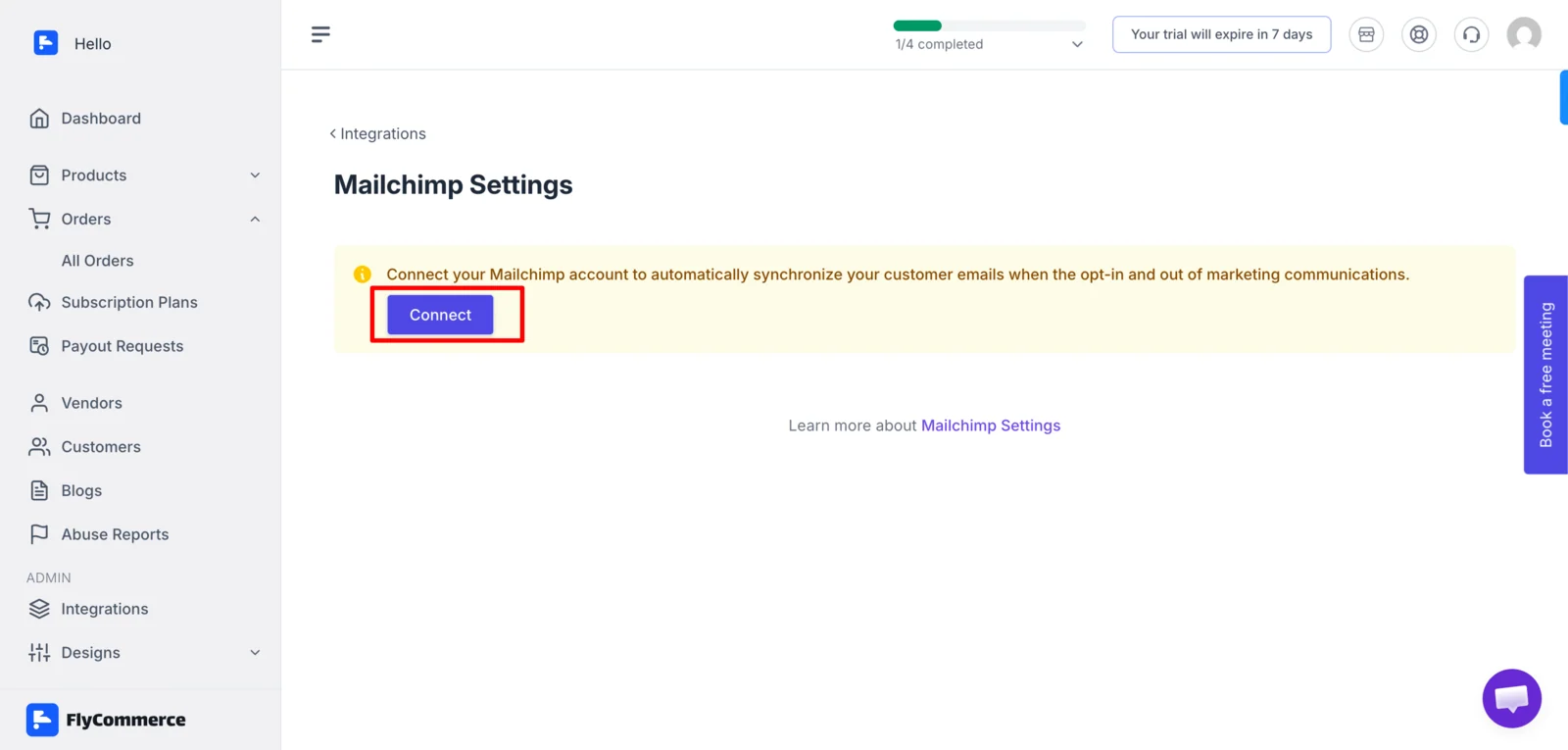
In the next page, click on the Connect button again. This will redirect you to the Mailchimp page and you need to enter your Mailchimp credentials to connect.
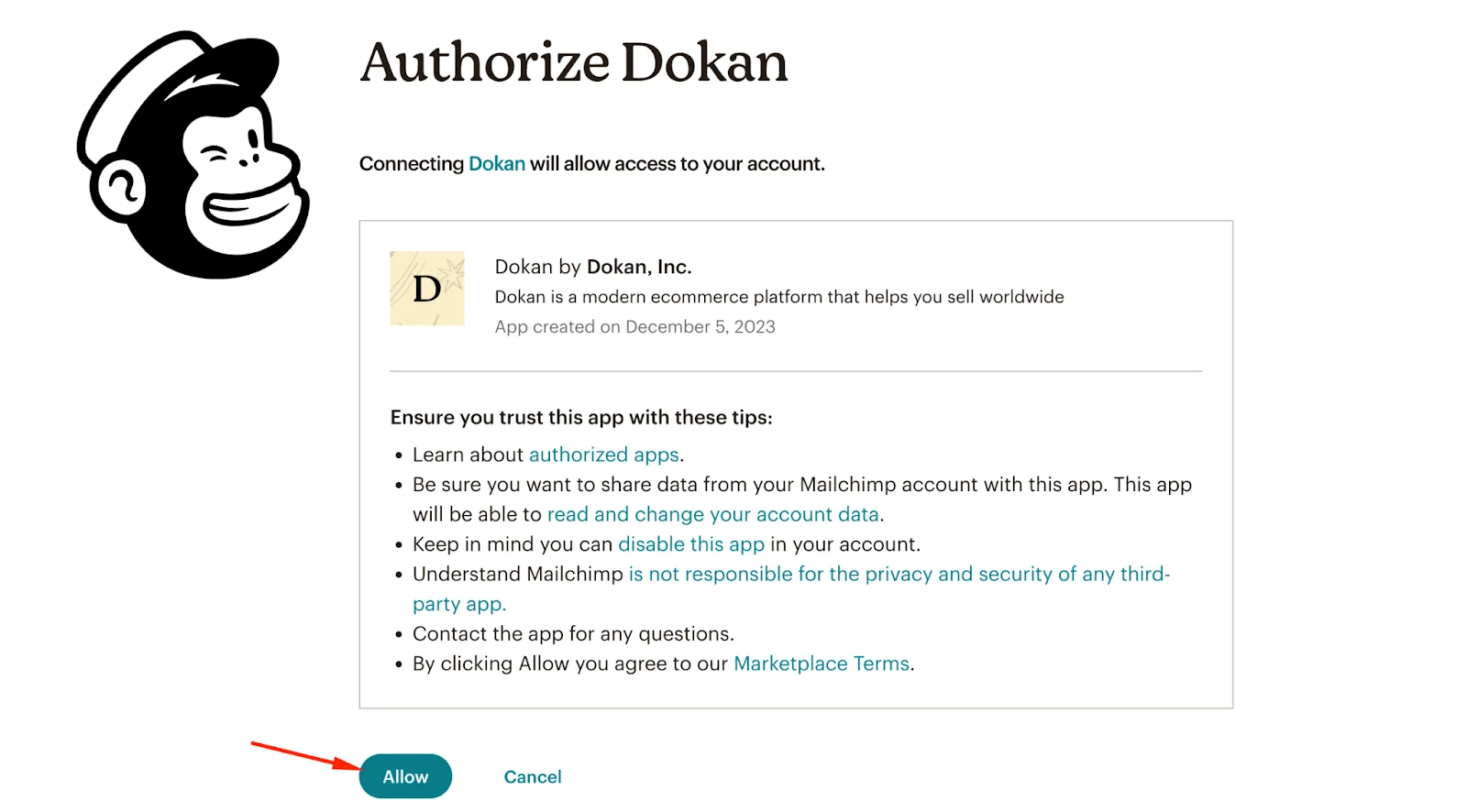
Don’t forget to give access to FlyCommerce,
After that you will be redirected to the settings page again. Now, Enable the Mailchimp option, select the subscriber list, write Checkout Tags, Customer Signup Tags.
Click the Save Changes button to finish.
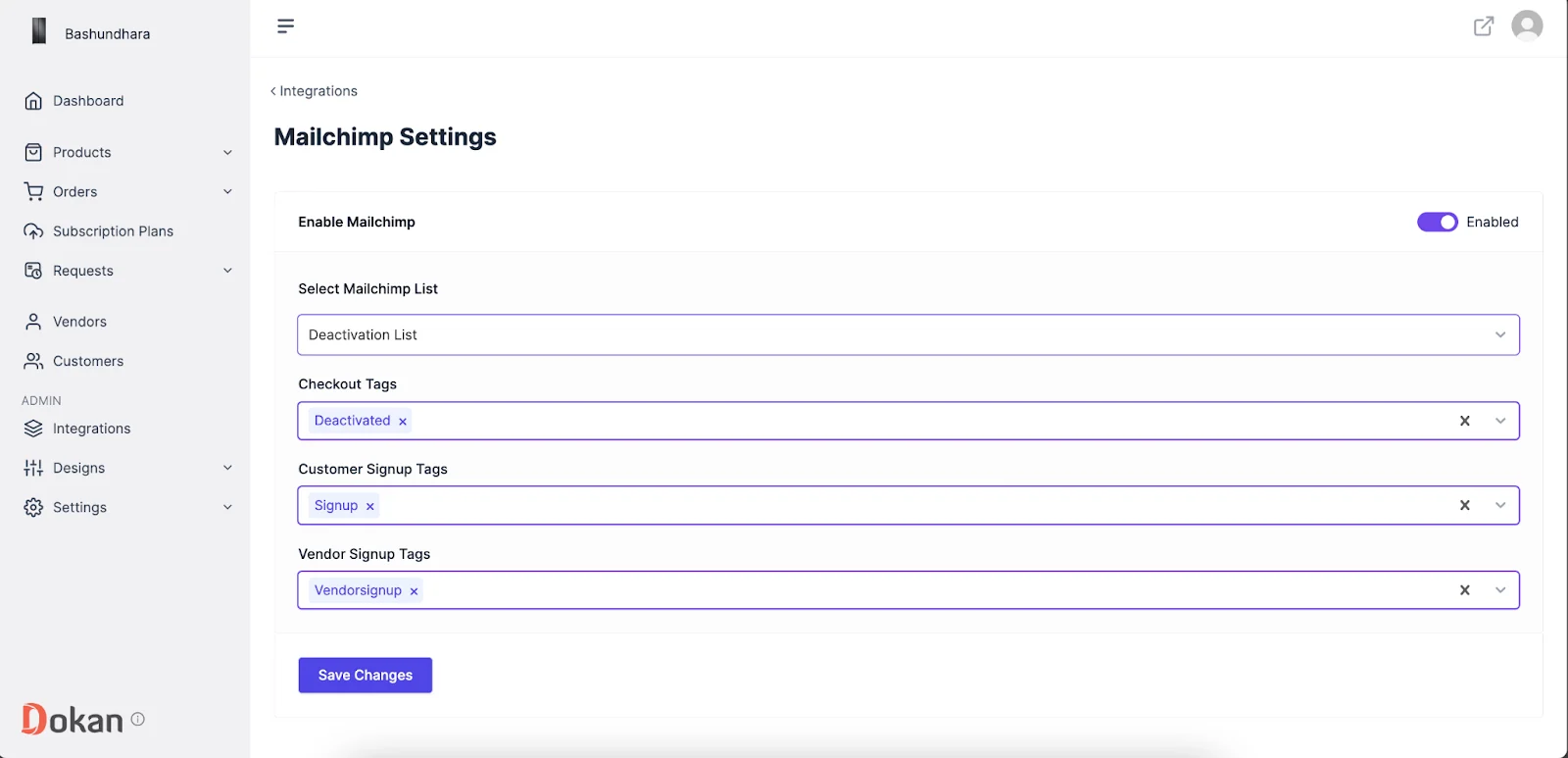
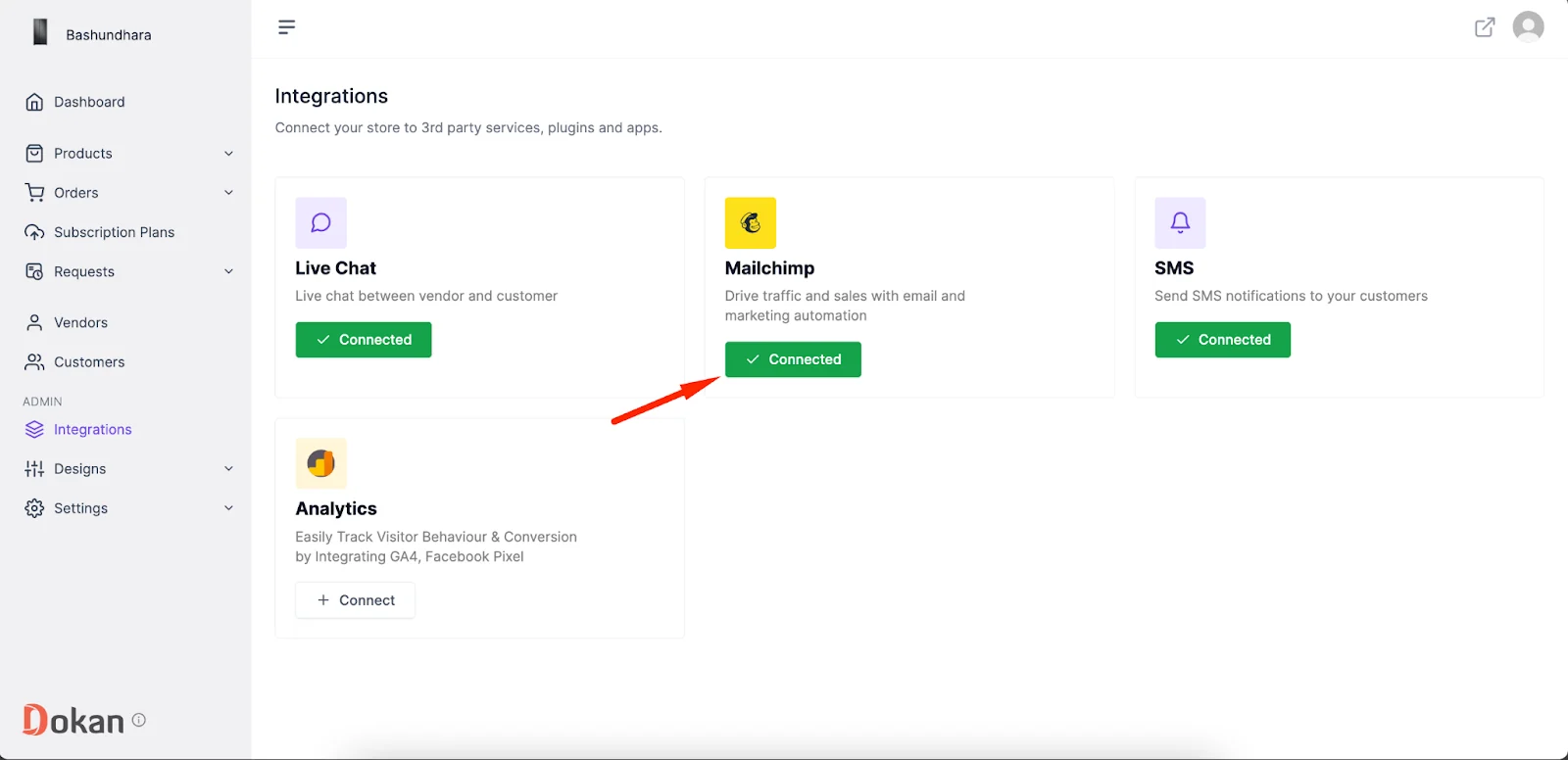
You will see that Mailchimp is connected.
That’s it.