Configure vendor commissions per category
FlyCommerce collects marketplace commission through vendor subscription plans. Each plan sets its commission as one flat value or as separate values for each product category. Use this guide to set up commission rates and check them after the first sale.
How commissions are assigned
Section titled “How commissions are assigned”A vendor’s commission comes from the subscription plan the vendor is on. You set commission in the Commissions section when you create a plan. The same form also sets the plan’s pricing and billing, and the product, store, SEO, and report capabilities that vendors on the plan receive. To charge a vendor different rates, assign that vendor to a plan that has the rates you want.
Choose a commission type
Section titled “Choose a commission type”The Commissions section has two commission types:
- Flat Commission sets one commission value for the plan. Enter a percentage, a fixed amount, or both.
- Category Commission sets a separate percentage and flat amount for each product category.
Set a flat commission
Section titled “Set a flat commission”- Go to Subscription Plans and click Create Plan.
- Enter the Plan Name and Description, and set the price in Pricing & Billing.
- In the Commissions section, set Commission Type to Flat Commission.
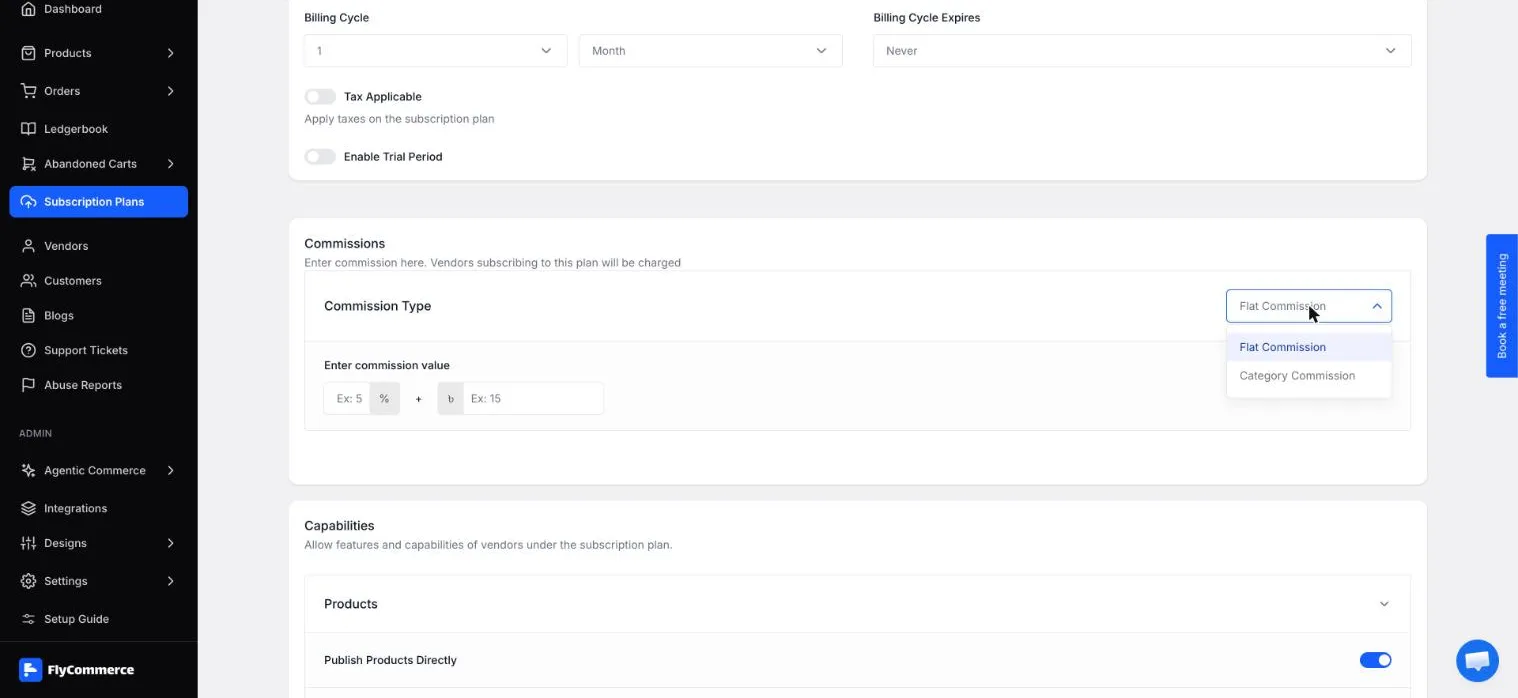
Choose Flat Commission or Category Commission in the Commissions section.
- In Enter commission value, enter a percentage in the % field, a fixed amount, or both.
- Click Create Subscription Plan.
Set category commissions
Section titled “Set category commissions”- Go to Subscription Plans and click Create Plan, then complete the plan details as described above.
- In the Commissions section, set Commission Type to Category Commission.
- The commission table has three columns: CATEGORY TITLE, PERCENTAGE COMMISSION VALUE, and FLAT COMMISSION VALUE. Expand the All Categories row to show each category, such as Art Prints or Home Decor.
- Enter a percentage, a flat amount, or both for each category.
- Click Create Subscription Plan.
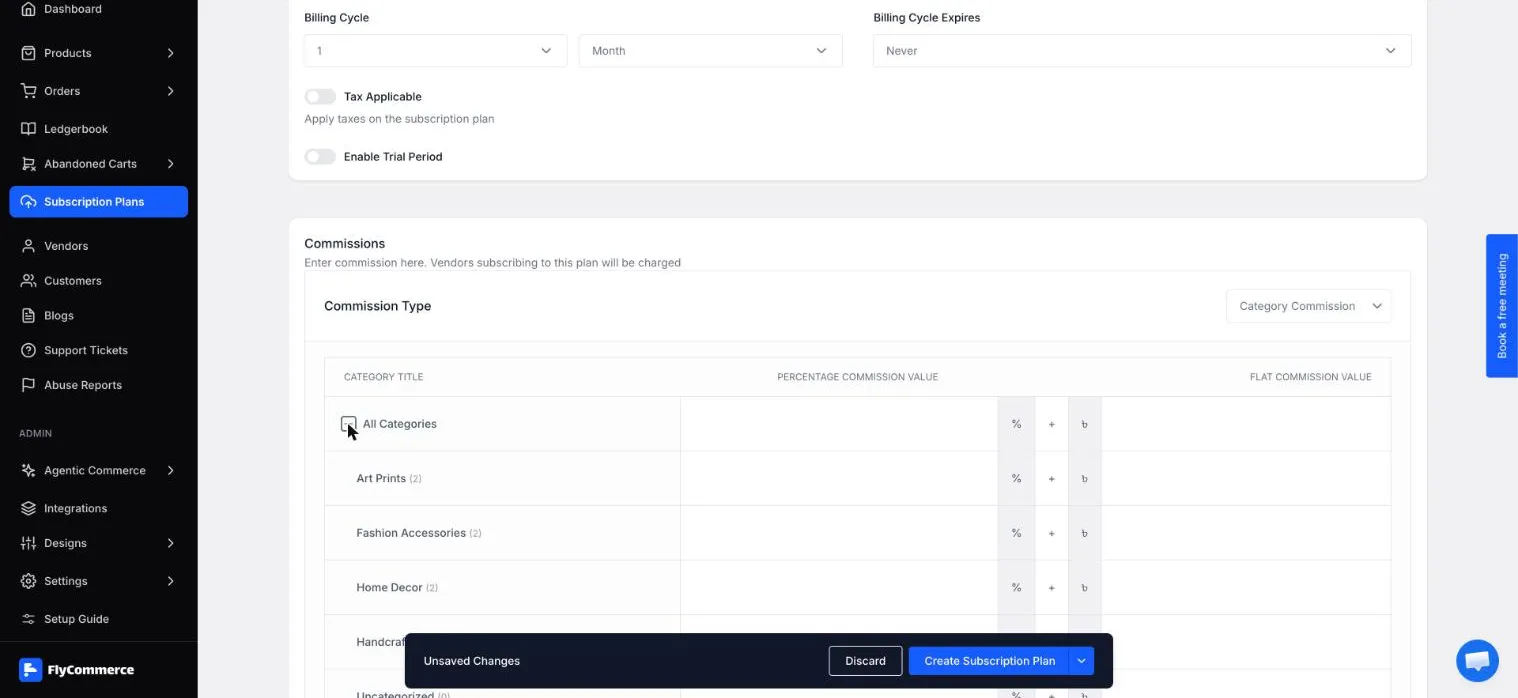
The All Categories row expands to show a row for each category.
Worked example
Section titled “Worked example”Suppose a plan charges a 10% commission plus a flat ৳5 on a ৳100 item. The commission is calculated like this:
- Percentage commission: 10% of ৳100 = ৳10.
- Flat commission: ৳5.
- Total commission: ৳10 + ৳5 = ৳15.
The commission on this item is ৳15. Use the same calculation to check the commission for any item price and rate pair in your plan.