How vendors request a payout
Vendors on FlyCommerce receive their earnings through payouts. Depending on how the marketplace admin has set up payouts, you either request a payout or receive scheduled payouts. This guide explains the rules that affect your balance and the steps to add a payout method.
Know the payout rules
Section titled “Know the payout rules”The marketplace admin sets these rules in Settings → Payout:
- Minimum Balance: your wallet must hold at least this amount before you can withdraw.
- Order Threshold: an order’s earnings become available for withdrawal after the set number of days.
- Pay In day: the day of the week when order amounts are added to your balance.
These rules decide when your earnings can be withdrawn, so check them before you request a payout.
Choose a payout option
Section titled “Choose a payout option”If the admin enables both automatic and manual payouts, you see both options and can select one.
- Automatic/Scheduled payouts are scheduled or automated by the marketplace.
- Manual/Request Payout lets you request a payout. The request stays pending until an admin approves it.
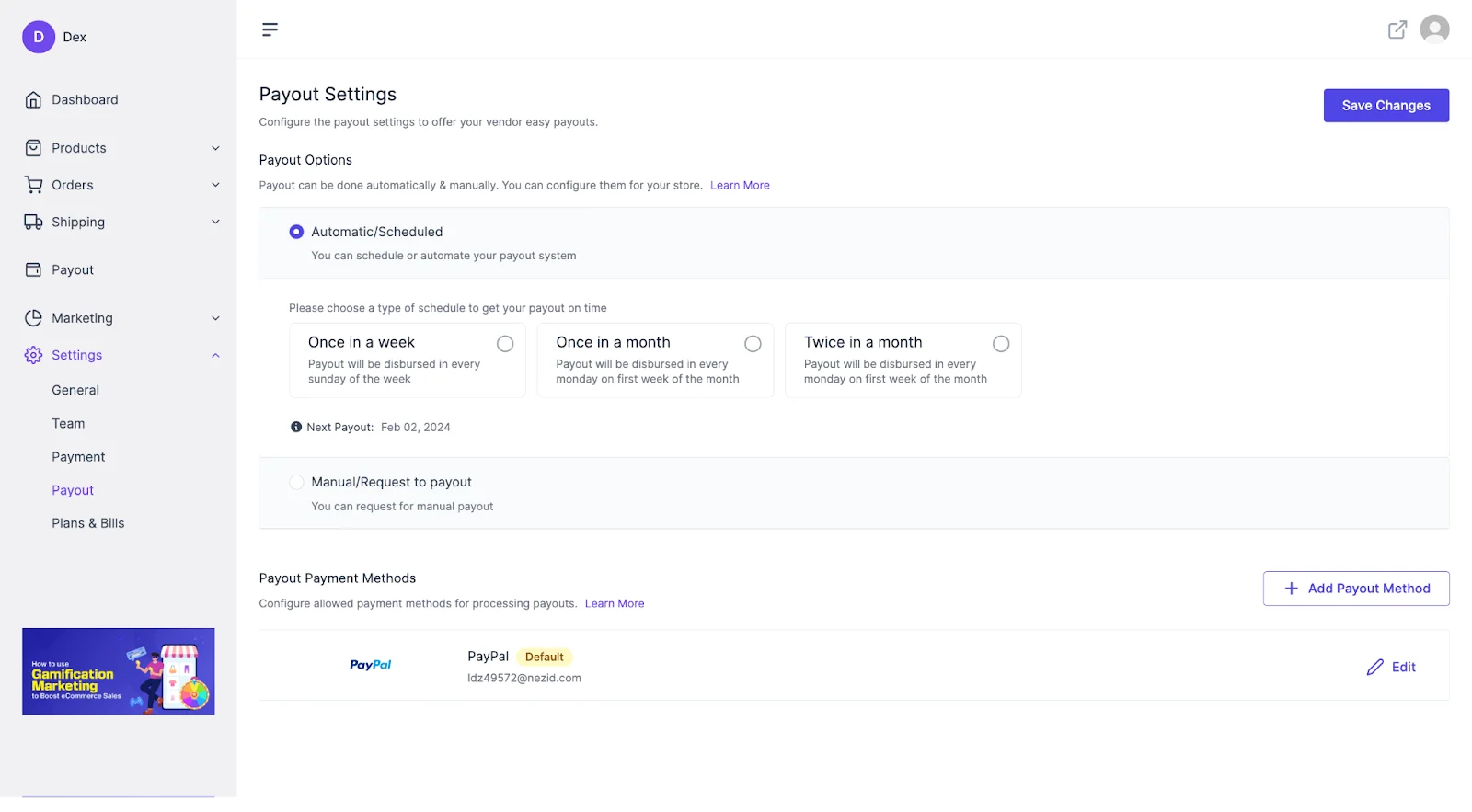
The payout page shows the options your admin has enabled.
Add a payout method
Section titled “Add a payout method”- Click Add Payout Method.
- Enter the account details for the payout method.
- Click Done to finish.
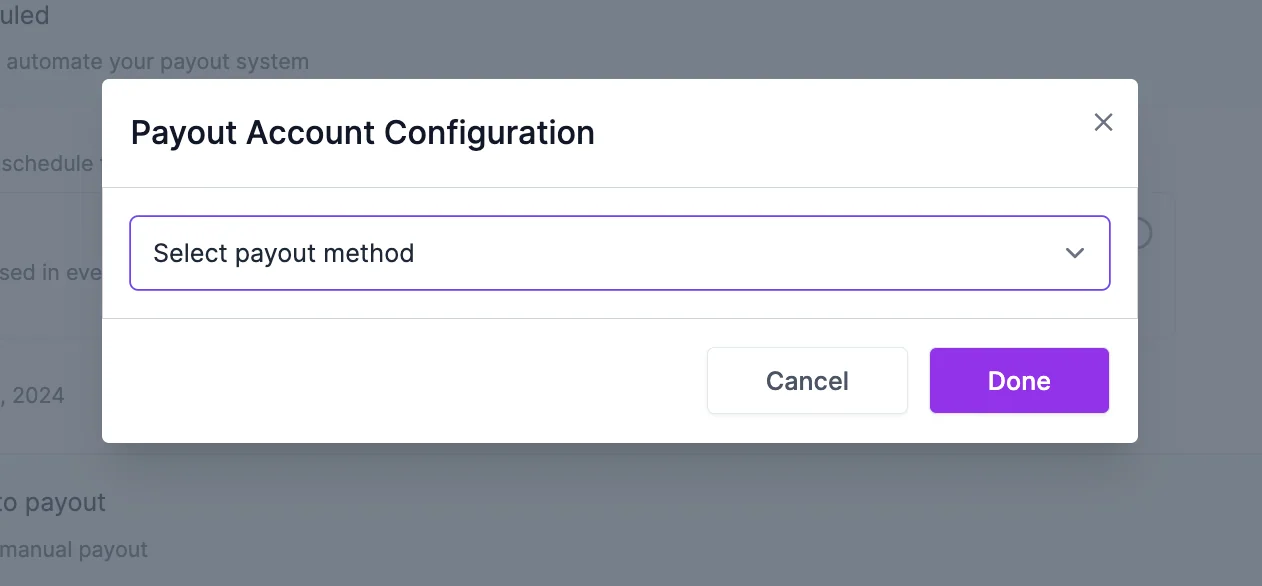
Enter the account details for the payout method, then click Done.
Request a payout
Section titled “Request a payout”If manual payouts are turned on, submit a payout request from your vendor dashboard. The request stays pending until an admin approves it. An admin can also cancel a request, so keep your payout method details up to date before you submit one.
You receive an email when a payout request is submitted, when it is approved, and when it is cancelled.