
10 Best Multi-Vendor Marketplace Platforms in 2026: Tested and Compared

Mamunur Rahsid
37–56 minutes
Human Written
Choosing a multi-vendor marketplace platform is not only about launching a website. The harder questions usually come after launch: how vendors join, how commissions work, how payouts are handled, how refunds are managed, how tax is calculated, and whether the platform can support custom workflows as the marketplace grows.
That is why the best multi-vendor marketplace platform is not always the cheapest tool or the one with the longest feature list. It is the platform that fits your business model today and your operating model tomorrow.
In this guide, I compare the best multi-vendor marketplace platforms for different use cases: hosted marketplace platforms, cloud ecommerce platforms with built-in marketplace capability, WooCommerce marketplace plugins, Shopify marketplace apps, self-hosted marketplace software, and enterprise marketplace platforms.
TL;DR: What Is the Best Multi-Vendor Marketplace Platform?
The best multi-vendor marketplace platform depends on your business model, technical resources, customization needs, vendor operations, and long-term growth plan.
FlyCommerce is best for businesses that need both ecommerce shop and marketplace capability in one hosted cloud platform. It supports online store creation, multi-vendor marketplace operations, vendor management, payouts, built-in SEO, reporting, global payment options, and Avalara AvaTax certified integration without requiring hosting or plugin maintenance.
Sharetribe is best for fast no-code marketplace MVPs. Dokan is best for WooCommerce-based marketplaces. CS-Cart and Yo!Kart are strong options for self-hosted marketplace ownership. Mirakl is best for large enterprise marketplace programs.
If you want one simple rule, use this:
- Choose FlyCommerce if you need a hosted cloud ecommerce platform with both online store and marketplace capability.
- Choose Dokan if you already use WooCommerce and want WordPress-native marketplace control.
- Choose CS-Cart or Yo!Kart if you want self-hosted marketplace software.
- Choose Mirakl, VirtoCommerce, or Marketplacer if you are building a large enterprise or complex B2B marketplace.
Quick Picks: Best Multi-Vendor Marketplace Platforms by Use Case
| Use case | Best platform | Why |
|---|---|---|
| Hosted ecommerce and marketplace in one platform | FlyCommerce | Supports ecommerce shop and marketplace operations in one cloud platform |
| Marketplace with vendor management, payouts, and tax calculation needs | FlyCommerce | Includes vendor tools, payout controls, reporting, and Avalara AvaTax certified integration |
| Fast no-code marketplace MVP | Sharetribe | Useful for quick marketplace validation without heavy development |
| WooCommerce-based marketplace | Dokan | Strong WordPress-native option for WooCommerce users |
| Flexible WooCommerce marketplace control | WCFM Marketplace | Useful for teams that want deep WordPress marketplace flexibility |
| Self-hosted marketplace ownership | CS-Cart | Suitable for teams that want more control over hosting and setup |
| One-time license marketplace software | Yo!Kart | Good fit for businesses that prefer self-hosted ownership and source-code access |
| Shopify store with marketplace apps | Shopify with Shipturtle or Webkul | Practical if you already use Shopify and want vendor functionality through apps |
| Large enterprise marketplace program | Mirakl | Built for large-scale enterprise marketplace and dropship programs |
| Complex B2B or composable marketplace | VirtoCommerce or Marketplacer | Better suited for technical teams, enterprise integrations, and complex commerce systems |
What Is a Multi-Vendor Marketplace Platform?

A multi-vendor marketplace platform is software that lets multiple sellers list products or services, manage orders, and sell through one shared ecommerce system.
The marketplace owner controls the platform. Vendors manage their own products, orders, shipping, and earnings from a vendor dashboard. Buyers can browse products from multiple vendors and often complete checkout in one place.
A good multi-vendor marketplace platform usually includes:
- Vendor registration and approval
- Vendor dashboards
- Product listing management
- Commission rules
- Order management
- Payment and payout workflows
- Shipping rules
- Tax calculation
- Reviews and ratings
- Admin controls
- Analytics and reporting
- Roles and permissions
- Custom branding options
For small marketplace projects, launch speed matters. For growing marketplaces, the bigger challenge is operational control: vendor onboarding, payouts, disputes, refunds, tax, custom workflows, reporting, and scalability.
What Types of Multi-Vendor Marketplace Platforms Are Available?
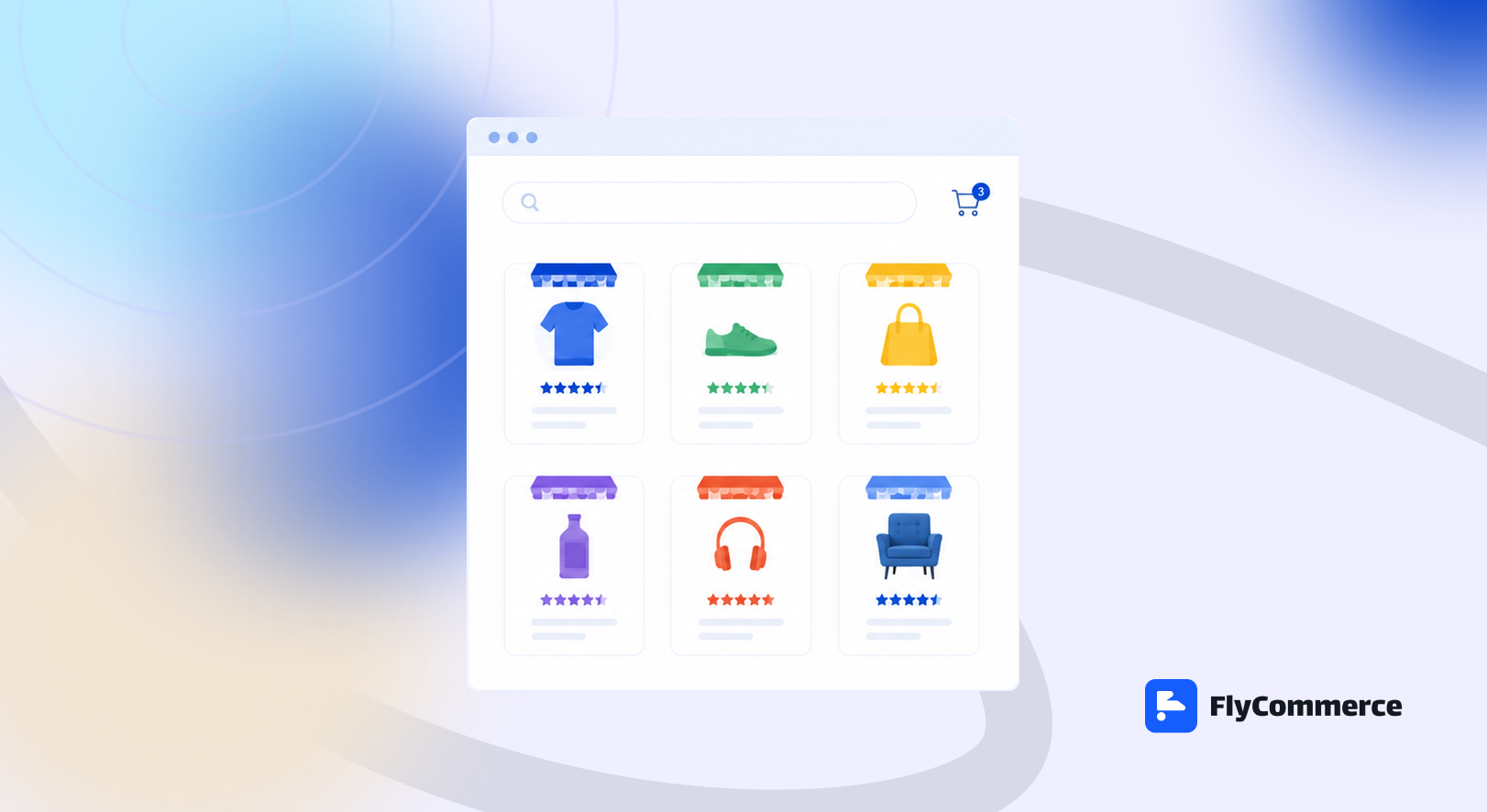
Not every multi-vendor marketplace platform is built the same way. Some are fully hosted. Some are WordPress-based. Some are self-hosted. Some are built for enterprise marketplace programs. Others are cloud ecommerce platforms that include both online store and marketplace capability in one system.
Before comparing individual platforms, it helps to understand these platform types. The right choice often depends less on the brand name and more on how much control, customization, hosting responsibility, vendor management, and long-term scalability your business needs.
| Platform type | Best for | Main benefit | Main trade-off |
|---|---|---|---|
| Hosted SaaS marketplace platforms | Founders who want fast marketplace validation | Faster launch and managed infrastructure | Less source-code control than self-hosted platforms |
| Cloud ecommerce platforms with built-in marketplace capability | Businesses that need online store and marketplace tools in one hosted system | Store and marketplace operations under one platform | Advanced custom workflows should be reviewed before setup |
| WordPress and WooCommerce marketplace plugins | WooCommerce users and WordPress agencies | Strong WordPress flexibility | Requires hosting, updates, plugins, and performance management |
| Shopify marketplace app setups | Existing Shopify merchants | Adds vendor functionality to a Shopify store | Marketplace workflows depend on third-party apps |
| Self-hosted marketplace software | Teams that want ownership and technical control | More control over hosting, code, and customization | Requires technical setup and maintenance |
| Enterprise marketplace platforms | Large retailers, B2B companies, and complex marketplace programs | Built for large-scale operations and integrations | Usually too heavy for early-stage founders and small businesses |
Hosted SaaS marketplace platforms
Hosted SaaS marketplace platforms manage hosting, updates, security, backups, and infrastructure for you.
This is useful when you want to launch faster without managing servers, plugins, or ongoing platform maintenance. For many founders and business teams, this reduces the technical burden and allows them to focus more on vendors, buyers, product supply, and marketplace growth.
Sharetribe is a good example of this type of platform, especially for founders who want to validate a marketplace MVP quickly.
Cloud ecommerce platforms with built-in marketplace capability
Some cloud ecommerce platforms support both online store management and multi-vendor marketplace operations inside one hosted system.
This matters because not every business has the same selling model. Some businesses sell directly through an online store. Some launch with multiple vendors from day one. Others need both capabilities because they sell products directly while also managing sellers, suppliers, partners, or regional vendor networks.
FlyCommerce fits this category because it combines ecommerce shop and marketplace capabilities in one cloud platform. Store owners can use no-code page building, product management, themes, payments, shipping, tax, SEO, reporting, and integrations. Marketplace founders and marketplace operators can use vendor onboarding, vendor dashboards, vendor subscription plans, commissions, seller verification, vendor team management, multicart checkout, payout controls, and marketplace SEO tools.
This makes FlyCommerce useful for businesses that want managed cloud infrastructure and marketplace capability without maintaining servers, plugins, or separate systems for store and vendor operations.
WordPress and WooCommerce marketplace plugins
WordPress and WooCommerce marketplace plugins are useful for businesses that already use WooCommerce or want strong WordPress flexibility.
Dokan and WCFM Marketplace are examples. These tools can help turn a WooCommerce store into a multi-vendor marketplace with vendor dashboards, product management, commissions, and marketplace controls.
The benefit is flexibility. The trade-off is technical ownership. You need to manage hosting, updates, plugins, performance, security, theme compatibility, and long-term maintenance.
This path is usually better for teams that already understand WordPress or have access to WordPress developers.
Shopify marketplace app setups
Shopify is strong for online stores, but marketplace functionality usually depends on third-party apps.
Shipturtle and Webkul are common examples. This path can work well if you already use Shopify and want to add vendor functionality without leaving the Shopify ecosystem.
The trade-off is that your marketplace depends on apps for important workflows like vendor onboarding, product approval, seller dashboards, order routing, payouts, and marketplace operations. As the marketplace grows, app dependency, customization limits, workflow complexity, and total cost become more important.
Self-hosted marketplace software
Self-hosted marketplace software gives you more control over hosting, code, infrastructure, and customization.
CS-Cart and Yo!Kart are common examples. This model is useful for teams that want more ownership and have the technical resources to manage setup, hosting, upgrades, custom development, and ongoing maintenance.
The main benefit is control. The main trade-off is responsibility. If your team cannot manage technical operations, self-hosted software can become harder to maintain over time.
Enterprise marketplace platforms
Enterprise marketplace platforms are built for large retailers, distributors, B2B companies, and complex marketplace operations.
FlyCommerce, Mirakl, Marketplacer, Arcadier, and VirtoCommerce fit this broader group. These platforms are usually better for companies that need enterprise integrations, large vendor networks, B2B workflows, complex catalog operations, or marketplace expansion at scale.
They can be powerful, but they are often more than what early-stage founders, small businesses, or first-time marketplace builders need.
How I Evaluated the Best Multi-Vendor Marketplace Platforms
I did not evaluate these platforms only by feature lists. A feature list can look impressive on a pricing page and still fail when the marketplace starts handling real vendors, real payouts, refunds, tax rules, and custom workflows.
I evaluated each platform by the areas that usually decide whether a marketplace runs smoothly after launch.
1. Marketplace architecture
The first question is whether the platform is built to support marketplace operations or whether marketplace functionality depends on plugins, apps, add-ons, or custom workarounds.
This matters because vendor dashboards, commissions, payouts, shipping, refunds, and tax workflows become harder when marketplace functionality is not part of the core system.
2. Vendor onboarding and approval
A marketplace cannot scale if every vendor needs manual help from the admin team.
I checked whether each platform can support vendor registration, vendor approval, seller verification, vendor profiles, vendor team management, and a clean onboarding flow.
3. Vendor dashboard quality
A strong vendor dashboard should let sellers manage products, orders, inventory, earnings, shipping details, store settings, and support requests without entering the admin backend.
This is one of the biggest practical differences between a simple ecommerce setup and a real marketplace platform.
4. Commission and monetization flexibility
Marketplace owners need flexible ways to earn revenue.
I checked whether each platform can support common marketplace models such as percentage commissions, fixed commissions, category-based commissions, vendor-specific rates, subscription plans, listing fees, or hybrid monetization.
5. Payment and payout workflows
Payments are simple in a normal online store. They become more complex in a marketplace because money may need to move between the buyer, marketplace owner, and multiple vendors.
I checked whether each platform can support seller payouts, manual or automatic withdrawal workflows, payout schedules, refunds, order adjustments, and regional payment needs.
6. Tax calculation and reporting readiness
Marketplace tax can become complicated when vendors, buyers, product types, refunds, exemptions, and regions are involved.
For US-focused or B2B marketplaces, I checked whether the platform has serious support for tax calculation, reporting workflows, exemption handling, and marketplace-ready tax operations.
7. Product catalog control
A marketplace platform should support more than basic product uploads.
I checked whether each platform can manage physical products, digital products, variations, categories, brands, bulk editing, CSV import and export, product reviews, vendor product approval, and product SEO fields.
8. Customization and custom workflow support
A grocery marketplace, B2B procurement marketplace, rental marketplace, service marketplace, and digital product marketplace do not need the same workflow.
I checked how well each platform can support custom rules, custom approval flows, custom order statuses, vendor-specific workflows, integrations, APIs, and enterprise requirements.
9. Hosting and technical ownership
Some platforms manage hosting, backups, updates, security, and infrastructure for you. Others give you more control but also more responsibility.
This is important because the platform choice affects launch speed, maintenance cost, technical workload, and long-term reliability.
10. B2B and enterprise support
Not every marketplace is a simple B2C product marketplace.
For B2B and enterprise use cases, I checked whether the platform can support roles and permissions, custom workflows, vendor teams, multi-location vendors, custom pricing, approval workflows, reporting needs, integrations, and larger operational requirements.
11. Total cost of ownership
The number on a pricing page is rarely the full cost of running a marketplace.
A realistic cost review should include the platform subscription or license, hosting, apps, plugins, add-ons, developer setup, custom work, maintenance, support, payment costs, and future migration risk.
12. Long-term scalability
The final question is whether the platform still fits when the business grows.
A good marketplace platform should support more vendors, more products, more orders, more regions, more team members, and more operational complexity without forcing a rebuild too early.
I would not choose a marketplace platform only because it is cheap at the beginning. Marketplace costs often appear later through add-ons, plugin conflicts, custom development, hosting upgrades, technical maintenance, vendor support, and operational workarounds.
10 Best Multi-Vendor Marketplace Platforms at a Glance
Here is a quick comparison of the best multi-vendor marketplace platforms based on use case, platform type, technical effort, and the main trade-off.
| Platform | Best for | Platform type | Technical effort | Main strength | Main trade-off |
|---|---|---|---|---|---|
| FlyCommerce | Businesses that need ecommerce shop and marketplace capability in one cloud platform | Cloud ecommerce platform | Low to medium | Online store tools, marketplace tools, vendor management, tax calculation, SEO, reporting, and hosted infrastructure in one platform | Advanced custom workflows should be reviewed before setup |
| Sharetribe | Fast marketplace MVPs | Hosted marketplace SaaS | Low to medium | Quick launch and marketplace validation | May not fit every complex ecommerce or enterprise workflow |
| Dokan | WooCommerce-based marketplaces | WordPress plugin | Medium | Strong WordPress-native marketplace control | Requires hosting, plugin, performance, and WordPress maintenance |
| WCFM Marketplace | Flexible WooCommerce marketplace control | WordPress plugin | Medium to high | Deep WordPress marketplace flexibility | Can become complex for non-technical teams |
| Shopify with Shipturtle or Webkul | Shopify merchants adding vendor functionality | Shopify app setup | Low to medium | Useful if you already use Shopify | Marketplace workflows depend on third-party apps |
| CS-Cart Multi-Vendor | Self-hosted marketplace ownership | Self-hosted marketplace software | Medium to high | More control over hosting and setup | Requires technical ownership and maintenance |
| Yo!Kart | Self-hosted B2B and B2C marketplaces | Licensed marketplace software | Medium to high | Source-code access and self-hosted control | Requires hosting and technical implementation |
| Arcadier | Enterprise marketplace extensions | Enterprise marketplace SaaS | Medium to high | Useful for complex marketplace environments | Heavier than most early-stage founders need |
| Mirakl | Large enterprise marketplace programs | Enterprise marketplace platform | High | Strong fit for large-scale enterprise marketplace and dropship programs | Usually too heavy for smaller businesses |
| VirtoCommerce or Marketplacer | Complex B2B or composable marketplaces | Enterprise or composable platform | High | Good fit for enterprise integrations and technical commerce systems | Requires strong implementation resources |
1. FlyCommerce: Best for Ecommerce Shop and Marketplace Capability in One Cloud Platform
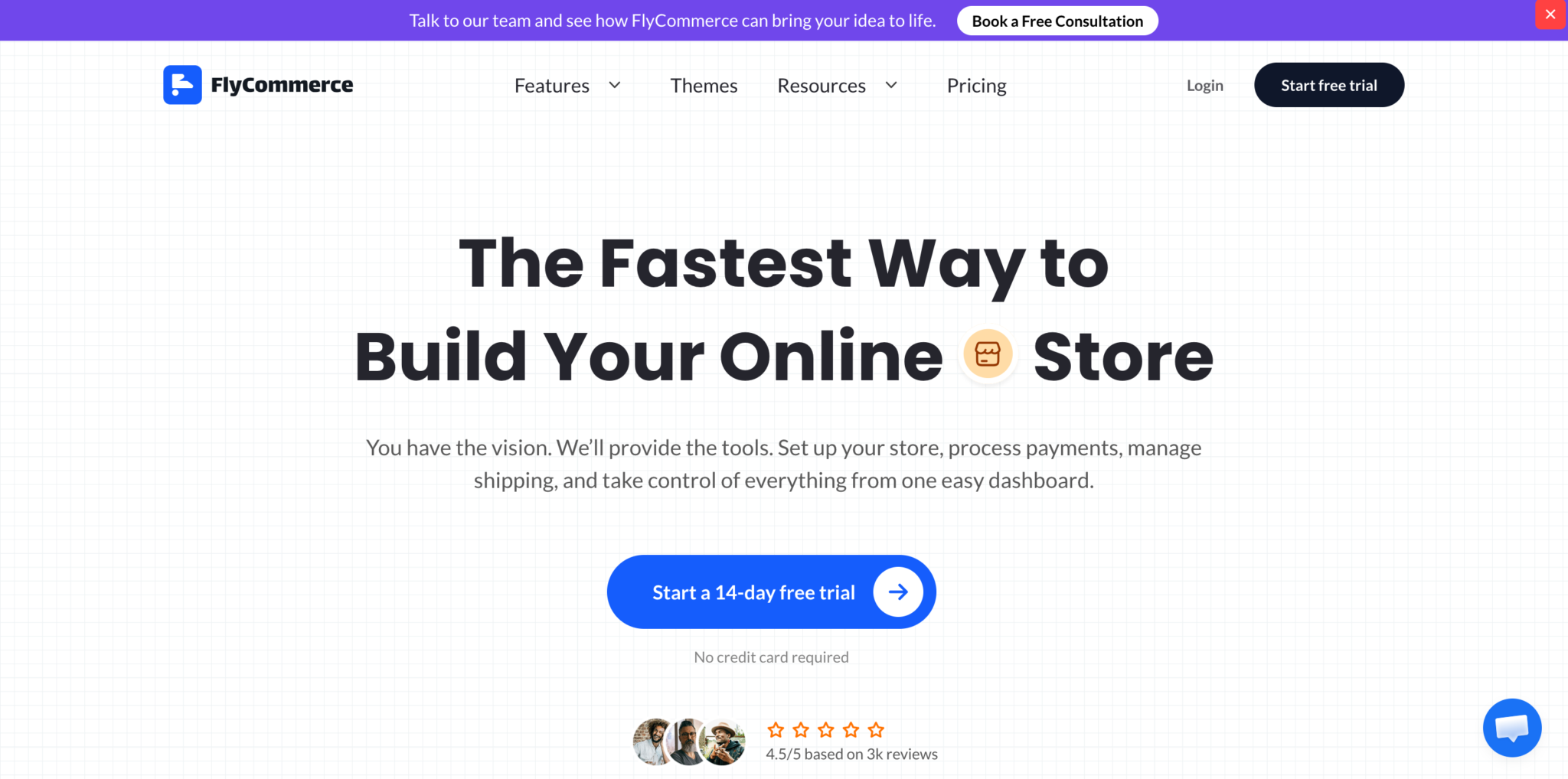
FlyCommerce is a cloud ecommerce platform for businesses that want to launch an online store, operate a multi-vendor marketplace, or support both models from one hosted system.
It is a strong fit for marketplace founders, marketplace operators, agencies, and enterprise teams that want vendor management, commissions, payouts, tax calculation, SEO, reporting, and hosted infrastructure without maintaining servers or plugins.
It is also useful for store owners who need ecommerce shop features such as a no-code page builder, product management, themes, global payment options, shipping, sales boosters, SEO tools, advanced reporting, and integrations.
Why FlyCommerce stands out
FlyCommerce brings ecommerce shop and marketplace tools together in one platform.
For ecommerce shop needs, FlyCommerce supports:
- No-code page builder
- Product management
- Themes and templates
- Sales boosters
- Order fulfillment
- Shipping options
- Built-in SEO tools
- Advanced reporting
- Integrations
- Global payment solutions
For marketplace needs, FlyCommerce supports:
- Vendor onboarding and approval
- Vendor dashboards
- Vendor subscription plans
- Flexible commission structures
- Seller verification
- Vendor team management
- Multi-cart checkout
- Custom payout schedules
- Marketplace SEO setup
- Product SEO
- Tax calculation and reporting workflows
- Shipping and payment controls
This combination is important because many businesses need more than a simple marketplace listing system. They also need product management, payments, shipping, SEO, reporting, and customer-facing store tools.
FlyCommerce is fully hosted, so teams do not need to manage hosting, server setup, plugin updates, or platform maintenance. That makes it useful for businesses that want to focus on vendors, products, orders, and growth instead of technical operations.
Tax and compliance readiness
Marketplace tax can become complicated when multiple vendors, buyer locations, refunds, exemptions, and product types are involved.
FlyCommerce includes an Avalara AvaTax certified integration for US sales tax calculation and reporting workflows. It also supports B2B exemption certificate handling through Avalara ECM.
This does not mean FlyCommerce files or remits taxes for you. AvaTax supports tax calculation and reporting. Tax filing and remittance require separate services and should be reviewed based on your business requirements.
Best for
FlyCommerce is best for:
- Marketplace founders who want a hosted platform
- Marketplace operators who need vendor management and payout controls
- Agencies building ecommerce or marketplace projects for clients
- B2B marketplace teams that need custom workflows
- Enterprise teams that want managed infrastructure
- Store owners who need ecommerce shop features and may also need marketplace capability
- Businesses that want tax calculation, reporting, SEO, payments, shipping, and vendor tools in one system
Not best for
FlyCommerce may not be the best fit if:
- You want full source-code ownership
- You only need a very small marketplace MVP
- You want to manage everything inside WordPress
- Your required custom workflow is outside the supported project scope
When to choose FlyCommerce
Choose FlyCommerce if you want a hosted cloud ecommerce platform that supports both online store operations and multi-vendor marketplace operations.
It is especially useful when you want vendor management, commissions, payouts, tax calculation, product SEO, reporting, payments, shipping, and integrations without managing a separate hosting stack or plugin ecosystem.
If your marketplace needs custom workflows, enterprise support, or advanced operational requirements, review those requirements with the FlyCommerce team before setup.
2. Dokan: Best for WooCommerce-Based Marketplaces
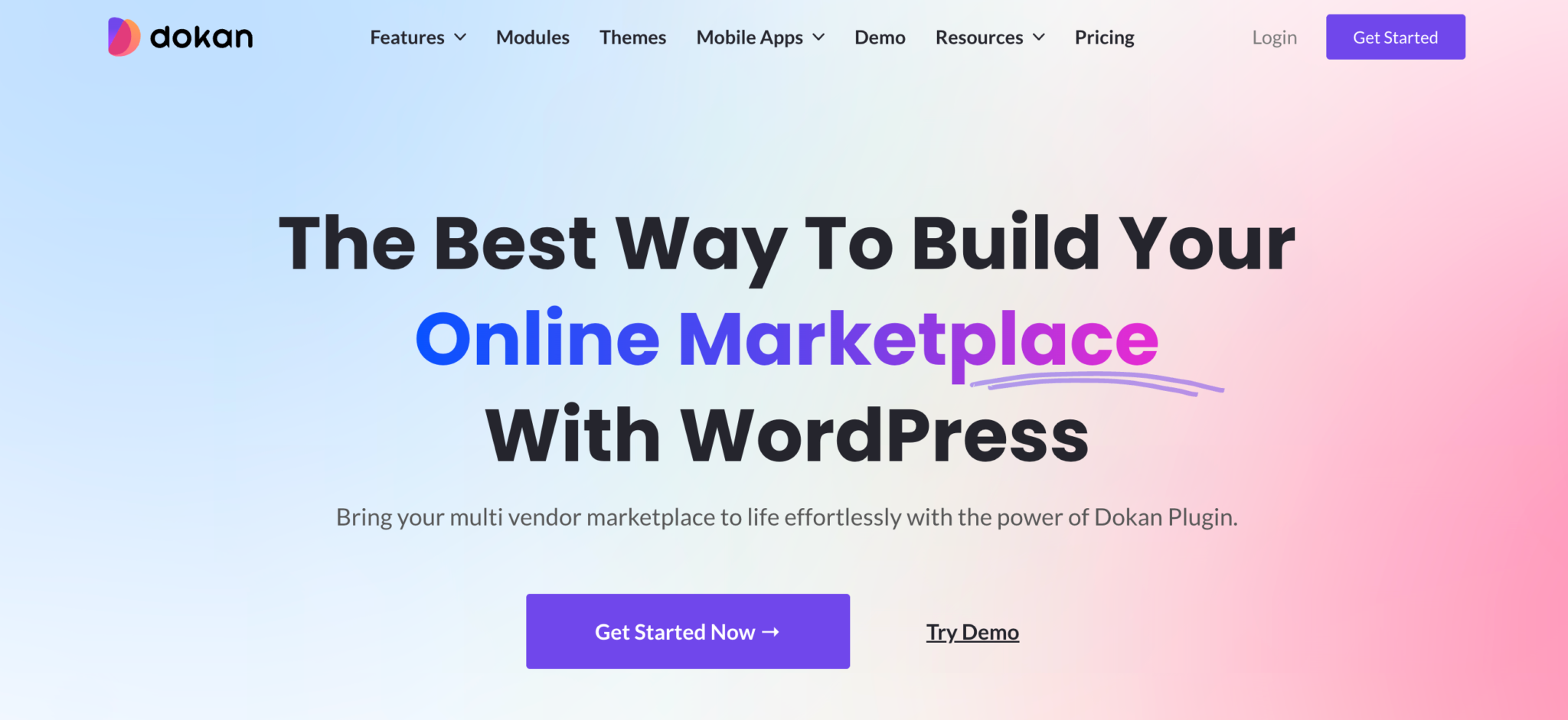
Dokan is one of the strongest options for turning a WooCommerce store into a multi-vendor marketplace.
It is built for WordPress users who want marketplace functionality inside the WooCommerce ecosystem. This makes it useful for store owners, agencies, and developers who already understand WordPress and want strong control over their ecommerce stack.
Why Dokan stands out
Dokan works well when WordPress flexibility is the priority.
It gives WooCommerce users marketplace features such as vendor dashboards, product management, order handling, commissions, store management, and marketplace controls while keeping the business inside WordPress.
This is useful if your team already knows how to manage WooCommerce, hosting, themes, plugins, and custom development.
Best for
Dokan is best for:
- WooCommerce users
- WordPress-first marketplace owners
- Agencies building WordPress marketplace projects
- Businesses that want marketplace functionality inside WooCommerce
- Teams that want access to the WordPress plugin ecosystem
- Developers who want more control over customization
Not best for
Dokan may not be ideal if:
- You do not want to manage hosting
- You do not want plugin maintenance
- You want a fully hosted cloud platform
- You want to avoid WordPress performance and compatibility work
- You are already outgrowing a plugin-based setup
When to choose Dokan
Choose Dokan if you want to build your marketplace inside WooCommerce and have the technical ability to manage WordPress properly.
If your main pain point is hosting, plugin updates, performance, security, or technical overhead, FlyCommerce may be a better fit because it gives you ecommerce and marketplace capability in a hosted cloud platform.
3. WCFM Marketplace: Best for Flexible WooCommerce Marketplace Control

WCFM Marketplace is another option for building a multi-vendor marketplace with WooCommerce.
It gives WordPress users a flexible plugin-based route for vendor dashboards, product management, commissions, shipping controls, marketplace settings, and seller workflows.
Why WCFM Marketplace stands out
WCFM Marketplace is useful for teams that want deep control inside WordPress.
It can work well for WooCommerce marketplace owners who want to customize workflows, extend functionality with plugins, and keep control over the WordPress environment.
The trade-off is complexity. More flexibility often means more decisions, more configuration, and more maintenance.
Best for
WCFM Marketplace is best for:
- WooCommerce marketplace owners
- WordPress developers
- Agencies building custom marketplace projects
- Teams that want flexible plugin-based control
- Businesses already comfortable with WordPress maintenance
Not best for
WCFM Marketplace may not be ideal if:
- You want a hosted cloud platform
- You want less technical maintenance
- You do not want to manage plugins and compatibility
- You need managed infrastructure
- You want a simpler setup path for a non-technical team
When to choose WCFM Marketplace
Choose WCFM Marketplace if WooCommerce flexibility matters more than simplicity.
It can be a good fit when you have WordPress experience or technical support. If you want to reduce technical ownership, a hosted cloud platform will usually be easier to manage.
4. Sharetribe: Best for Fast No-Code Marketplace MVPs
Sharetribe is a hosted marketplace platform for founders who want to validate a marketplace idea quickly.
It is a good option for marketplace MVPs where the main goal is to test supply, demand, user behavior, and transactions before investing in a more complex build.
Sharetribe is commonly used for service marketplaces, rental marketplaces, booking marketplaces, and other two-sided marketplace models where fast launch matters.
Why Sharetribe stands out
Sharetribe is strong because it helps founders move quickly.
Instead of building marketplace infrastructure from scratch, founders can use Sharetribe to launch a working marketplace, test the idea, learn from users, and decide whether to invest further.
It is useful when the biggest risk is not operations yet, but validation.
Best for
Sharetribe is best for:
- Marketplace MVPs
- Early-stage marketplace founders
- Service marketplaces
- Rental marketplaces
- Booking marketplaces
- Non-technical teams that want to validate demand
- Founders who may add custom development later
Not best for
Sharetribe may not be ideal if:
- You need ecommerce shop and marketplace capability in one platform
- You need deep product catalog management
- You need advanced B2B workflows
- You need marketplace tax calculation and reporting support
- You want full source-code ownership
- You need more complex enterprise marketplace operations
When to choose Sharetribe
Choose Sharetribe if your main goal is to validate a marketplace concept quickly.
If you are building a more complex ecommerce marketplace with product catalog depth, tax requirements, enterprise workflows, or both ecommerce shop and marketplace needs, compare Sharetribe carefully with FlyCommerce, CS-Cart, Yo!Kart, and enterprise marketplace platforms.
5. Shopify With Shipturtle or Webkul: Best for Shopify Merchants Adding Vendor Functionality
Shopify is a strong ecommerce platform for online stores, but marketplace functionality usually depends on third-party apps.
Shipturtle and Webkul are common examples of apps used to add vendor functionality to Shopify. This route can work well if you already use Shopify and want to add sellers, vendor dashboards, product listings, and marketplace workflows without leaving the Shopify ecosystem.
Why this setup stands out
The biggest advantage is familiarity.
If your business already runs on Shopify, adding a marketplace app may feel easier than moving to a new platform. You can keep Shopify as the ecommerce base while adding vendor functionality through an app.
This can work for simpler product marketplaces and merchants who want to test vendor-based selling.
Best for
Shopify with marketplace apps is best for:
- Existing Shopify merchants
- Product marketplaces with simpler vendor workflows
- Teams that want to keep Shopify as the ecommerce base
- Store owners testing vendor functionality
- Businesses already invested in Shopify apps and operations
Not best for
This setup may not be ideal if:
- You want native marketplace functionality
- You want to avoid app dependency
- You need advanced vendor workflows
- You need complex payout, tax, or approval processes
- You are worried about long-term app costs
- You need enterprise marketplace operations
When to choose Shopify with marketplace apps
Choose this route if you already use Shopify and want to add marketplace functionality without changing your ecommerce base.
But if marketplace operations are central to your business model, review app dependency carefully. Vendor onboarding, product approval, payouts, tax, custom workflows, and long-term cost become more important as the marketplace grows.
6. CS-Cart Multi-Vendor: Best for Self-Hosted Marketplace Ownership
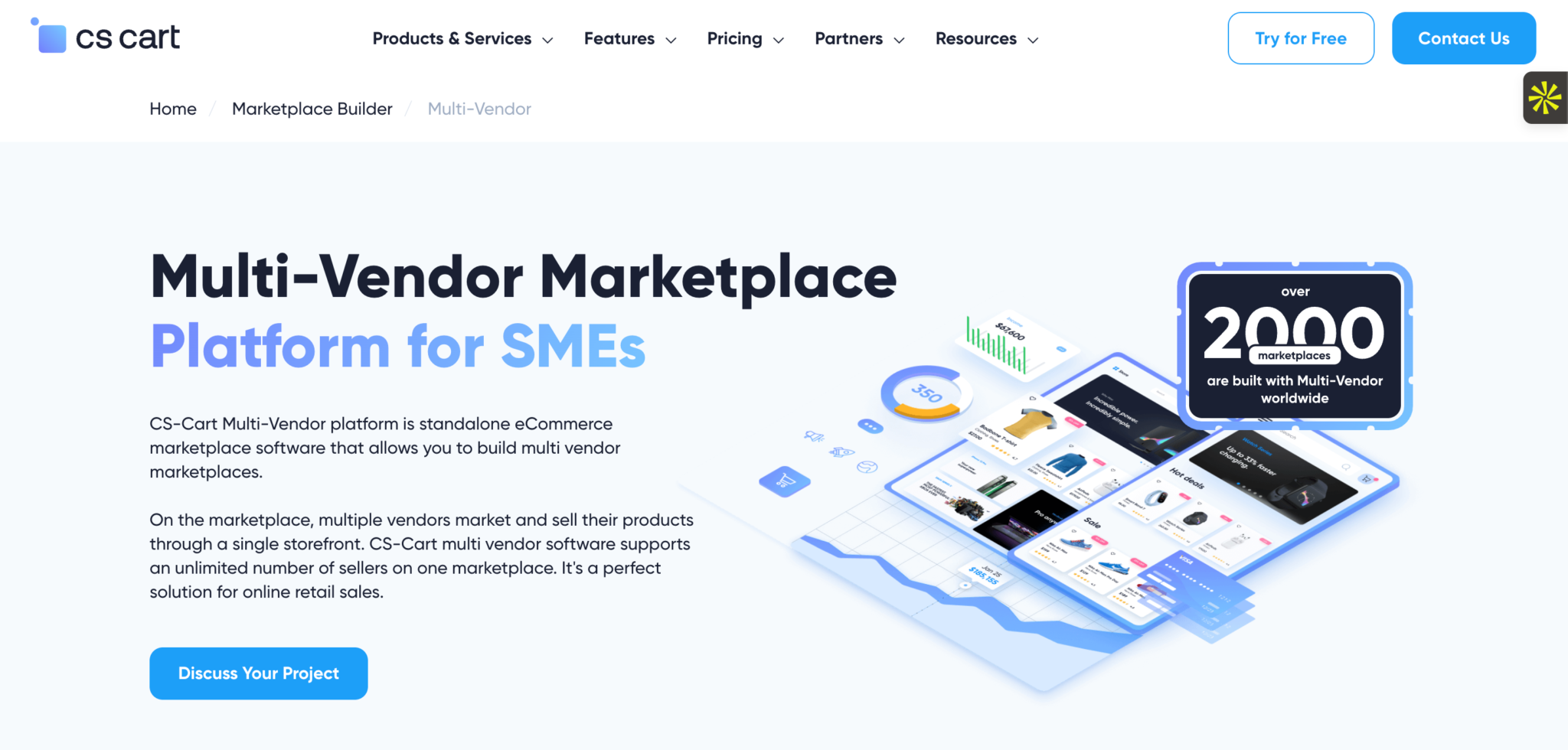
CS-Cart Multi-Vendor is marketplace software for teams that want more control over hosting, setup, and marketplace ownership.
It is often considered by founders and businesses that want an online mall-style marketplace with built-in vendor tools, product management, commissions, storefront customization, and admin controls.
Unlike fully hosted platforms, CS-Cart requires more technical ownership. That can be useful for teams that want control, but it also means more responsibility for setup, hosting, updates, maintenance, and long-term support.
Why CS-Cart stands out
CS-Cart stands out because it gives marketplace owners more control over the platform environment than most hosted SaaS tools.
For teams with technical resources, this can be valuable. You can manage your hosting, customize the setup, and shape the marketplace around your business requirements.
The trade-off is that the business needs to handle more of the technical workload. That includes performance, updates, backups, security, development support, and implementation quality.
Best for
CS-Cart is best for:
- Self-hosted marketplace ownership
- Online mall-style marketplaces
- Teams with technical resources
- Businesses that want more control than hosted SaaS
- Marketplace owners who can manage hosting and implementation
- Companies that want deeper control over marketplace setup
Not best for
CS-Cart may not be ideal if:
- You want a fully hosted cloud platform
- You do not want technical maintenance
- You want to avoid hosting responsibility
- You are a solo founder without technical support
- You need a simpler launch path with less setup work
When to choose CS-Cart
Choose CS-Cart if control matters more than simplicity.
It can be a strong option when you have the technical resources to manage setup and maintenance. But before choosing it, calculate the full cost of ownership, including hosting, development, support, maintenance, add-ons, and future customization.
7. Yo!Kart: Best for Self-Hosted B2B and B2C Marketplace Projects
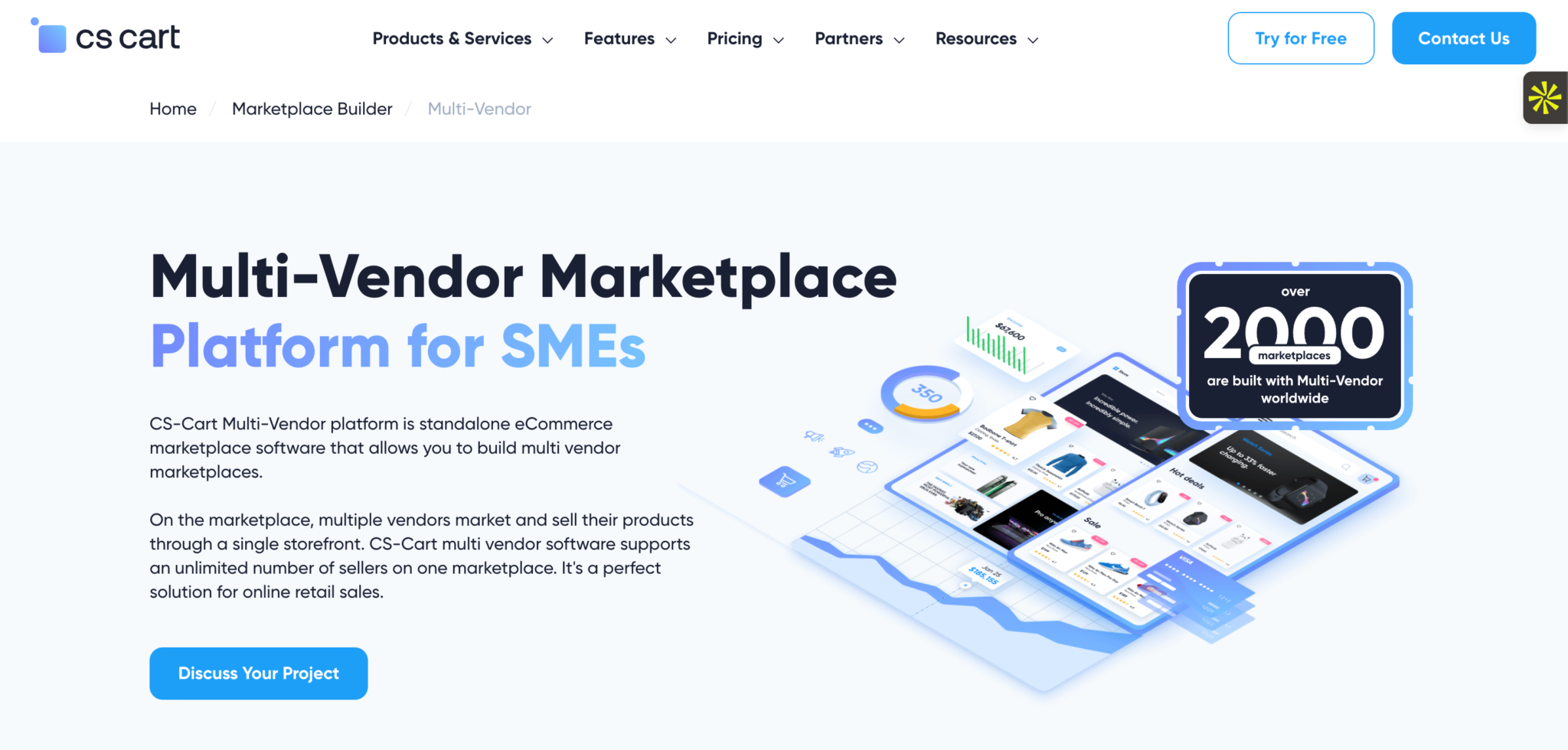
Yo!Kart is a self-hosted multi-vendor marketplace platform for businesses that want ownership, customization, and a license-based software model.
It is often used by teams that want to build B2B, B2C, or hybrid marketplace projects without starting from a fully custom build.
Yo!Kart can be a good fit when source-code access, white-label control, and self-hosted ownership matter. But like other self-hosted platforms, it requires more technical involvement than a hosted cloud platform.
Why Yo!Kart stands out
Yo!Kart stands out because it gives businesses more ownership over the marketplace environment.
This can be useful for teams that want to control the code, hosting, design, integrations, and business-specific workflows. It can also appeal to businesses that prefer a license-based model instead of a pure monthly SaaS structure.
The trade-off is technical responsibility. A self-hosted marketplace still needs hosting, implementation, maintenance, security, upgrades, and technical support.
Best for
Yo!Kart is best for:
- Self-hosted marketplace projects
- B2B and B2C marketplace models
- Teams that want source-code access
- Businesses that prefer license-based software
- Marketplace owners who want white-label control
- Companies with technical implementation resources
Not best for
Yo!Kart may not be ideal if:
- You want fully managed hosting
- You want less technical responsibility
- You prefer a cloud SaaS setup
- You do not have technical support
- You want ecommerce shop and marketplace tools inside one hosted system
When to choose Yo!Kart
Choose Yo!Kart if self-hosted ownership and customization control are more important than managed infrastructure.
It can work well for teams that have technical resources and want control over the marketplace environment. If your team wants to reduce technical work, a hosted platform such as FlyCommerce or Sharetribe may be easier to manage.
8. Arcadier: Best for Enterprise Marketplace Extensions

Arcadier is a marketplace platform built for more complex marketplace needs, especially for businesses that want configurable workflows, integrations, and marketplace functionality inside a larger business environment.
It is not usually the simplest option for a small marketplace MVP. It is better suited for teams that need marketplace functionality connected with existing systems, custom processes, and enterprise-level requirements.
Why Arcadier stands out
Arcadier stands out because it is more suitable for complex marketplace environments than simple plug-and-play marketplace projects.
It can be useful when the marketplace needs to connect with existing business systems, support custom workflows, or fit into a broader digital commerce strategy.
The trade-off is complexity. A more configurable platform usually needs more planning, implementation support, and internal alignment.
Best for
Arcadier is best for:
- Enterprise marketplace projects
- Mid-market marketplace teams
- Businesses with existing systems to connect
- Companies that need configurable marketplace workflows
- Marketplace operators with more complex requirements
- Teams that have internal or external technical support
Not best for
Arcadier may not be ideal if:
- You are validating a small marketplace MVP
- You want the simplest possible launch path
- You want a lower-cost beginner platform
- You need an ecommerce shop and marketplace in one simple hosted system
- You do not have technical support for setup and integration
When to choose Arcadier
Choose Arcadier if your marketplace needs enterprise-style configuration, integrations, or more advanced operating workflows.
For small businesses, solo founders, or simple marketplace launches, it may be more complex than needed.
9. Mirakl: Best for Large Enterprise Marketplace Programs

Mirakl is one of the most recognized enterprise marketplace platforms. It is built for large retailers, manufacturers, distributors, and B2B companies that want to operate large-scale marketplace and dropship programs.
Mirakl is usually not the first choice for early-stage founders or small businesses. It is better suited for large organizations with marketplace teams, implementation budgets, partner networks, and enterprise commerce requirements.
Why Mirakl stands out
Mirakl stands out because it is designed for large-scale marketplace operations.
It is useful when a company needs to manage many sellers, large product catalogs, complex integrations, dropship programs, marketplace governance, and enterprise-level operational control.
The trade-off is that this level of capability usually comes with more implementation complexity, higher cost, and longer setup cycles.
Best for
Mirakl is best for:
- Large enterprise marketplaces
- Retail marketplace expansion
- B2B marketplace programs
- Dropship and marketplace operations
- Companies with large seller networks
- Enterprises with implementation budgets and internal teams
Not best for
Mirakl may not be ideal if:
- You are an early-stage founder
- You want affordable entry pricing
- You need a simple no-code launch
- You are building your first online store
- You want a lightweight marketplace platform
- You want a platform that is easier for SMBs to start with
When to choose Mirakl
Choose Mirakl if you are a large enterprise building a serious marketplace program with the budget, team, and systems to support it.
If you are a startup, SMB, or store owner moving toward marketplace growth, Mirakl may be more platform than you need.
10. VirtoCommerce or Marketplacer: Best for Complex B2B or Composable Marketplace Needs

VirtoCommerce and Marketplacer are strong options for complex B2B, enterprise, and composable commerce use cases.
They are not beginner marketplace tools. They are better suited for companies with technical teams, enterprise systems, integration needs, and complex commerce workflows.
VirtoCommerce is better aligned with API-first and composable B2B commerce. Marketplacer is better aligned with adding third-party seller inventory and marketplace operations to an existing ecommerce environment.
Why VirtoCommerce and Marketplacer stand out
These platforms stand out because they are designed for larger, more technical commerce environments.
They can be useful when a marketplace is part of a broader enterprise commerce system, not just a standalone website. That includes B2B workflows, enterprise integrations, API-first architecture, complex catalogs, and multi-system operations.
The trade-off is implementation effort. These tools usually require technical leadership, developers, integrators, and a clear commerce architecture.
Best for
VirtoCommerce or Marketplacer are best for:
- B2B marketplace operations
- Enterprise marketplace expansion
- Composable commerce strategies
- API-first ecommerce architecture
- Existing ecommerce ecosystems
- Teams with developers, integrators, and technical leadership
Not best for
They may not be ideal if:
- You want a simple marketplace MVP
- You need a fast no-code launch
- You do not have technical resources
- You want an easier store and marketplace setup
- You are a small business without implementation support
When to choose VirtoCommerce or Marketplacer
Choose VirtoCommerce or Marketplacer if your marketplace is part of a complex commerce system.
They are better suited for enterprise integrations, B2B workflows, API-first architecture, and serious technical implementation.
Best Multi-Vendor Marketplace Platform by Business Model
The best platform depends on the type of marketplace you want to build. A service marketplace, B2B procurement marketplace, product marketplace, and enterprise marketplace do not need the same setup.
| Business model or situation | Best platform options | Why |
|---|---|---|
| Ecommerce business that needs both online store and marketplace capability | FlyCommerce | Supports ecommerce shop and marketplace tools in one hosted cloud platform |
| Marketplace with vendor management, payouts, tax calculation, and reporting needs | FlyCommerce | Includes vendor workflows, payout controls, reporting, and Avalara AvaTax certified integration |
| Fast marketplace MVP | Sharetribe | Useful for validating supply and demand quickly |
| WooCommerce marketplace | Dokan or WCFM Marketplace | Strong fit for WordPress and WooCommerce users |
| Shopify product marketplace | Shopify with Shipturtle or Webkul | Practical if you already run your ecommerce business on Shopify |
| Self-hosted product marketplace | CS-Cart or Yo!Kart | Better for teams that want technical ownership and control |
| B2B marketplace | FlyCommerce, Yo!Kart, VirtoCommerce, or Mirakl | Depends on complexity, budget, and technical resources |
| Enterprise retail marketplace | Mirakl or Marketplacer | Better suited for large-scale seller networks and enterprise commerce |
| Composable B2B marketplace | VirtoCommerce | Stronger fit for API-first and composable commerce environments |
| Agency-built marketplace project | FlyCommerce, Dokan, CS-Cart, or Yo!Kart | Depends on whether the client needs hosted SaaS, WordPress, or self-hosted ownership |
Which One Should You Choose?
Use this decision matrix if you are comparing platforms but still unsure which direction fits your business.
| Your need | Best fit |
|---|---|
| I want a hosted platform with ecommerce shop and marketplace capability | FlyCommerce |
| I need vendor onboarding, payouts, tax calculation, SEO, and reporting in one system | FlyCommerce |
| I want to avoid hosting, server setup, and plugin maintenance | FlyCommerce or Sharetribe |
| I want to validate a marketplace MVP quickly | Sharetribe |
| I already use WooCommerce | Dokan or WCFM Marketplace |
| I want full WordPress control | Dokan or WCFM Marketplace |
| I already use Shopify | Shopify with Shipturtle or Webkul |
| I want full self-hosted ownership | CS-Cart or Yo!Kart |
| I prefer source-code access | Yo!Kart or CS-Cart |
| I need enterprise marketplace infrastructure | Mirakl, Arcadier, or Marketplacer |
| I need composable B2B commerce architecture | VirtoCommerce |
| I have limited technical resources | FlyCommerce or Sharetribe |
| I have an in-house development team | CS-Cart, Yo!Kart, VirtoCommerce, or Marketplacer |
| I need custom workflows for vendors, payouts, approvals, or B2B operations | FlyCommerce, Arcadier, VirtoCommerce, or Mirakl, depending on project complexity |
Hosted SaaS vs WordPress Plugin vs Self-Hosted vs Enterprise Marketplace Software
Choosing a marketplace platform also means choosing a technical operating model.
A hosted platform reduces technical overhead. A WordPress plugin gives more ecosystem flexibility. A self-hosted platform gives more ownership. An enterprise platform gives more power for large-scale operations, but usually requires more budget and implementation support.
| Platform type | Launch speed | Technical complexity | Customization | Maintenance | Best for |
|---|---|---|---|---|---|
| Hosted SaaS marketplace platform | Fast | Low to medium | Medium | Managed by platform | Founders who want fast marketplace validation |
| Cloud ecommerce platform with marketplace capability | Fast | Low to medium | Medium to high | Managed by platform | Businesses that need online store and marketplace tools in one hosted system |
| WordPress marketplace plugin | Medium | Medium | High | Managed by owner | WooCommerce users and WordPress agencies |
| Shopify marketplace app setup | Fast | Low to medium | Medium | Managed through Shopify and apps | Shopify merchants adding vendor functionality |
| Self-hosted marketplace software | Medium | Medium to high | High | Managed by owner | Teams that want ownership and technical control |
| Enterprise marketplace platform | Slower | High | Very high | Shared between platform, internal team, and implementation partners | Large companies with complex marketplace operations |
When hosted SaaS makes sense
Hosted SaaS makes sense when you want to reduce technical ownership.
This is useful if you do not want to manage servers, hosting, plugin updates, backups, security, or infrastructure. Hosted platforms are often better for teams that want to focus on vendors, products, marketing, orders, and growth instead of technical maintenance.
When WordPress plugins make sense
WordPress marketplace plugins make sense when you already use WooCommerce and want to stay inside the WordPress ecosystem.
This path gives strong flexibility, but it also requires technical care. Hosting, updates, plugin conflicts, performance, theme compatibility, and security become your responsibility.
When self-hosted software makes sense
Self-hosted software makes sense when ownership and control matter more than simplicity.
This path can work well for teams with developers or technical partners. But it also means you are responsible for hosting, implementation, maintenance, and future upgrades.
When enterprise marketplace platforms make sense
Enterprise marketplace platforms make sense when your business has large-scale marketplace requirements.
This may include complex B2B workflows, large seller networks, enterprise integrations, approval systems, advanced catalog operations, or multi-region marketplace expansion.
For smaller teams, enterprise platforms can be too heavy. For large companies, they may be necessary.
What Features Should You Look For in a Multi-Vendor Marketplace Platform?

A multi-vendor marketplace platform needs more than product listings and checkout.
The real test is whether the platform can help you manage vendors, orders, commissions, payouts, tax, shipping, reporting, and growth without creating manual work for your team.
Here are the features I would check before choosing a platform.
Vendor onboarding and approval
A marketplace cannot grow if vendor onboarding is slow, confusing, or fully manual.
Look for a platform that lets vendors register, submit business details, and go through an approval process before they start selling. For serious marketplaces, you may also need seller verification, vendor profiles, vendor rules, document checks, and approval workflows.
This matters because vendor quality affects customer trust. A weak onboarding process can lead to poor product listings, unreliable sellers, customer complaints, and more support work.
Vendor dashboard
A vendor dashboard should let sellers manage their own work without depending on the marketplace admin for every small task.
At minimum, vendors should be able to manage:
- Products
- Inventory
- Orders
- Shipping details
- Earnings
- Withdrawal requests
- Store settings
- Reviews
- Support requests
If vendors need to contact your admin team every time they want to update a product, check an order, or review earnings, your marketplace will become harder to scale.
Commission and monetization options
A marketplace platform should support different ways to earn revenue.
Common marketplace monetization models include:
- Percentage-based commissions
- Fixed commissions
- Category-based commissions
- Vendor-specific commission rates
- Vendor subscription plans
- Listing fees
- Featured product fees
- Hybrid monetization
For example, a fashion marketplace may use different commission rates by category. A B2B marketplace may charge vendors a subscription fee. A local marketplace may combine subscriptions with lower order commissions.
Do not choose a platform that locks you into one revenue model too early.
Payment and payout workflows
Payments are simple in a normal online store. They become more complex in a marketplace because one order may involve multiple vendors.
Before choosing a platform, check whether it can support:
- Buyer payments
- Vendor payouts
- Manual payout controls
- Automatic payout workflows
- Custom payout schedules
- Refund handling
- Order adjustments
- Multi-currency payments
- Regional payment gateways
This is one of the most important operational checks. If payouts are difficult, your finance team will spend too much time reconciling orders manually.
Tax calculation and reporting readiness
Tax becomes more complex when a marketplace has multiple vendors, buyer locations, product types, refunds, and exemptions.
For US-focused or B2B marketplaces, check whether the platform supports real-time sales tax calculation, exemption handling, refund-aware tax workflows, custom tax policies, and reporting needs.
FlyCommerce includes an Avalara AvaTax certified integration for US tax calculation and reporting workflows. It also supports B2B exemption certificate handling through Avalara ECM.
This does not mean the platform files or remits taxes for you. Tax filing and remittance should be handled separately based on your business requirements.
Product catalog control
Marketplace quality depends on how well vendors create and manage product listings.
Check whether the platform supports:
- Physical products
- Digital products
- Product variations
- Product categories
- Brand management
- Bulk product editing
- CSV import and export
- Product reviews
- Vendor-level product controls
- Product SEO fields
For product-based marketplaces, catalog structure affects customer trust, search visibility, conversion rate, and admin workload.
Shipping and fulfillment controls
Shipping can become complicated when multiple vendors ship from different locations or follow different shipping rules.
Look for:
- Domestic shipping profiles
- International shipping profiles
- Location-based shipping rules
- Weight-based shipping
- Free shipping thresholds
- Vendor-level shipping settings
- Real-time shipping estimates
- Fulfillment integrations
Hidden or unclear shipping costs can reduce conversions. A good platform should make shipping rules clear for both vendors and buyers.
Order management and refunds
Marketplace order management should give admins and vendors enough control without creating confusion.
Check whether the platform supports:
- Centralized order management
- Vendor-level order status updates
- Refund handling
- Order filtering and sorting
- Order notifications
- Multi-vendor cart or checkout support
- Clear order visibility for vendors
This becomes more important as order volume grows.
Roles and permissions
Growing marketplaces need clear team access.
You may need different permissions for admins, finance teams, support teams, marketplace managers, and vendor staff.
Look for:
- Admin roles
- Custom roles
- Staff permissions
- Vendor team permissions
- Task delegation
- Restricted access by responsibility
This is especially important for agencies, B2B marketplace teams, and enterprise marketplace operations.
Built-in SEO and marketing tools
A marketplace should not depend only on paid ads.
Check whether the platform supports:
- Shop SEO settings
- Product SEO settings
- Meta titles and descriptions
- Sitemaps
- Social sharing
- Coupon campaigns
- Discount rules
- Analytics integration
- Email marketing integration
- Live chat or customer messaging
Built-in SEO and marketing tools reduce the need for extra plugins or third-party tools.
Analytics and reporting
A marketplace owner needs visibility into performance.
At minimum, you should be able to track:
- Sales
- Revenue
- Orders
- Top products
- Vendor performance
- Customer behavior
- Product trends
- Marketplace growth
For larger marketplaces, vendor-level reporting becomes especially important because not every seller will perform the same way.
Custom workflows and integrations
Every marketplace model has its own operating logic.
A grocery marketplace, B2B procurement marketplace, rental marketplace, digital product marketplace, and services marketplace will not need the same workflows.
Before choosing a platform, ask:
- Can it support custom approval flows?
- Can vendors follow different rules?
- Can payout schedules vary?
- Can custom order statuses be added?
- Can external tools connect through integrations or webhooks?
- Can the platform support B2B or enterprise requirements?
If custom workflows are important, review them before setup. This avoids choosing a platform that works for launch but fails when operations become more complex.
Common Mistakes When Choosing Marketplace Software
Most marketplace platform mistakes happen because founders compare feature lists instead of operating requirements.
Here are the mistakes I would avoid.
1. Choosing only by starting price
A low starting price can become expensive if you need paid add-ons, custom development, hosting upgrades, premium support, extra apps, or migration later.
Always compare total cost of ownership, not just the first monthly payment.
2. Ignoring vendor onboarding
Many founders focus on the buyer experience first. That is important, but the vendor experience matters just as much.
If vendors cannot join, upload products, manage orders, and check earnings easily, the marketplace will create support problems from the beginning.
3. Ignoring payout complexity
Payouts can become one of the hardest parts of marketplace operations.
You need to know how commissions are deducted, how vendors are paid, how refunds affect payouts, and whether payouts can be scheduled or controlled by the admin.
4. Treating tax as a small checkout setting
Marketplace tax is not always simple.
Vendor location, buyer location, product type, refunds, exemptions, and regional rules can all affect tax workflows. For US-focused or B2B marketplaces, tax calculation and reporting readiness should be reviewed early.
5. Choosing a plugin stack without technical capacity
WordPress and WooCommerce marketplace plugins can be powerful. But they also require hosting, updates, security, plugin compatibility, performance optimization, and ongoing maintenance.
If your team does not have WordPress technical support, a hosted cloud platform may be easier to manage.
6. Overbuilding before validating supply and demand
Some founders spend too much time building advanced features before proving that vendors and buyers want the marketplace.
Start with the core workflow first:
- Can vendors join?
- Can they list products or services?
- Can buyers purchase?
- Can the marketplace earn revenue?
- Can orders, payouts, and refunds be managed properly?
Advanced features should support a validated marketplace, not replace validation.
7. Ignoring customization needs
Some marketplaces need custom approval rules, custom vendor workflows, B2B pricing, regional shipping logic, custom payout schedules, or integration with external systems.
If your business model needs these workflows, check customization before choosing the platform.
8. Ignoring migration risk
Migration becomes harder after you have vendors, products, customers, orders, tax rules, payment settings, SEO URLs, and integrations inside one system.
The platform should fit where your business is going, not only where it is today.
9. Choosing a platform that does not match your team
A technical team may prefer self-hosted control. A non-technical founder may need hosted infrastructure. An enterprise team may need integrations and custom workflows. A WooCommerce agency may prefer WordPress.
The right platform depends on your team, not only your business idea.
Multi-Vendor Marketplace Platform Selection Checklist
Use this checklist before choosing a multi-vendor marketplace platform.
Business model fit
- Do I need a product marketplace, service marketplace, rental marketplace, B2B marketplace, or hybrid model?
- Do I need an online store, a marketplace, or both?
- Will I add vendors from day one or later?
- Will vendors sell physical products, digital products, services, or bookings?
- Do I need B2B workflows, custom pricing, approvals, or regional rules?
Vendor management
- Can vendors register and onboard easily?
- Can I approve or reject vendors?
- Can vendors manage their own products and orders?
- Can vendors see earnings and performance?
- Can vendors add team members or staff?
- Can I verify sellers before they start selling?
- Can I set vendor product limits or subscription tiers?
Monetization
- Can I set marketplace commissions?
- Can I create vendor subscription plans?
- Can I use category-based commission rates?
- Can I assign different commission rules to different vendors?
- Can I charge listing fees or featured product fees if needed?
- Can the platform support my revenue model as the marketplace grows?
Payments, payouts, and refunds
- Can buyers pay using the gateways my market needs?
- Can vendors receive payouts?
- Can payouts be manual, automatic, or scheduled?
- Can I manage refunds properly?
- Can I handle order adjustments?
- Can the platform support multi-currency payments?
- Can it support regional payment gateways?
Tax, shipping, and compliance
- Does the platform support tax calculation?
- Does it support reporting workflows?
- Does it support exemption handling if I sell B2B?
- Can I create custom tax policies?
- Can I set shipping rules by location, weight, item, or order value?
- Can vendors manage their own shipping settings?
- Can customers see shipping costs before checkout?
Product and catalog management
- Can vendors add physical and digital products?
- Can the platform handle variations such as size, color, material, or weight?
- Can products be imported or exported by CSV?
- Can admins approve vendor products?
- Can vendors manage inventory?
- Can product pages include SEO fields?
- Can customers leave reviews?
Technical ownership
- Do I want hosted infrastructure or self-hosted control?
- Who handles backups, security, and updates?
- Do I need source-code access?
- Do I have developers or technical support?
- Can the platform scale without heavy maintenance?
- What happens if traffic, vendors, or order volume grows?
Customization and integrations
- Can the platform support custom workflows?
- Can I connect external tools?
- Does it support webhooks or APIs?
- Can it support B2B or enterprise requirements?
- Can the platform adapt to my marketplace model?
- What custom work needs to be reviewed before setup?
Cost and growth
- What is the subscription or license cost?
- Is there revenue share?
- What add-ons or apps are required?
- What hosting costs apply?
- What development costs should I expect?
- What support costs may appear later?
- What is the cost if I need to migrate?
- Will the platform still make sense two years from now?
How to Build a Multi-Vendor Marketplace: 7 Steps That Actually Matter
Building a marketplace is not technically complicated. But the order of operations determines whether you launch with real sellers and buyers or spend six months building something the market doesn’t want.
- Validate the niche before touching any platform. Find 10 potential sellers and 10 potential buyers willing to give you a clear yes, not “sounds interesting.” This is the step most founders skip, and it’s the most important one.
- Choose your revenue model before choosing your platform. Commission only, commission plus subscriptions, or lead fees: your revenue model determines your payment architecture requirements.
- Choose your platform using the comparisons above. Match your actual situation to the platform category. Architecture fit matters more than feature count.
- Set up vendor onboarding before recruiting your first seller. Your approval workflow and support process should exist before anyone signs up.
- Configure payment splitting from day one. Never launch with manual reconciliation intended to be “fixed later.” It breaks at roughly 20 transactions per week.
- Set up tax compliance before your first sale. A compliance problem found in year 2 costs far more to fix than a compliance setup in launch week.
- Solve the supply side of the cold start problem before opening to buyers. Recruit 10 to 20 quality sellers with real inventory first. Buyers who arrive to an empty marketplace don’t return.
For the complete step-by-step guide including platform setup walkthroughs and the full cold start playbook, read: How to Build a Multi-Vendor Marketplace.
Final Recommendation
There is no universal best multi-vendor marketplace platform. The right choice depends on your business model, vendor workflows, technical resources, customization needs, tax requirements, budget, and growth plan.
If you need a fast marketplace MVP, Sharetribe is a strong choice. If you already use WooCommerce, Dokan or WCFM Marketplace may fit better. If you want self-hosted ownership, CS-Cart or Yo!Kart are worth evaluating. If you are building a large enterprise marketplace program, Mirakl, Arcadier, VirtoCommerce, or Marketplacer may belong on your shortlist.
But if you need a hosted cloud ecommerce platform that supports both ecommerce shop and multi-vendor marketplace operations, FlyCommerce is one of the strongest platforms to evaluate.
It gives you online store tools, marketplace tools, vendor management, payout controls, tax calculation support, built-in SEO, reporting, global payment options, shipping controls, integrations, and managed infrastructure in one platform.
That makes it especially useful for marketplace founders, marketplace operators, agencies, B2B teams, enterprise teams, and store owners who need more than a simple marketplace listing tool.
Ready to build a marketplace without managing hosting, plugins, or server infrastructure?
Start Your Marketplace Free! With FlyCommerce, you can launch your ecommerce shop, build your marketplace, and keep both paths open from one cloud platform.
FAQs About Multi-Vendor Marketplace Platforms
What is the best multi-vendor marketplace platform?
The best multi-vendor marketplace platform depends on your business model.
FlyCommerce is best for businesses that need ecommerce shop and marketplace capability in one hosted cloud platform. Sharetribe is best for fast marketplace MVPs. Dokan is best for WooCommerce-based marketplaces. CS-Cart and Yo!Kart are strong for self-hosted marketplace ownership. Mirakl is best for large enterprise marketplace programs.
What is the best multi-vendor marketplace platform for startups?
For startups, the best options are usually FlyCommerce, Sharetribe, Dokan, or Yo!Kart, depending on the business model. Choose FlyCommerce if you want a hosted cloud ecommerce platform with online store tools, marketplace tools, vendor management, payouts, tax calculation, SEO, reporting, and integrations. Dokan if you already use WooCommerce.
What is the best platform for an enterprise marketplace?
For enterprise marketplaces, strong options include FlyCommerce, Mirakl, Arcadier, VirtoCommerce, and Marketplacer. FlyCommerce is a good fit for businesses that want hosted marketplace infrastructure, vendor management, custom workflows, tax calculation, reporting, and ecommerce capabilities in one platform. Mirakl is better suited for large enterprise marketplace and dropship programs. VirtoCommerce is stronger for complex B2B and composable commerce needs.
Can Shopify build a multi-vendor marketplace?
Shopify can support marketplace functionality through third-party apps such as Shipturtle or Webkul. But it is different from choosing a purpose-built marketplace platform. App dependency, custom workflows, marketplace tax, vendor onboarding, payouts, and long-term cost should be reviewed carefully.
Can WooCommerce build a multi-vendor marketplace?
Yes. WooCommerce can build a multi-vendor marketplace with plugins such as Dokan or WCFM Marketplace.
This is a good path for WordPress users who want flexibility and control. The trade-off is that you must manage hosting, updates, plugins, performance, security, compatibility, and maintenance.
How much does multi-vendor marketplace software cost?
Multi-vendor marketplace software can cost anything from a monthly SaaS subscription to a larger self-hosted license, development budget, app stack, hosting setup, or enterprise contract.
Do not compare only the starting price. Compare total cost of ownership, including platform fees, revenue share, hosting, plugins, apps, custom development, maintenance, support, payment costs, migration, and internal admin time.
What features are essential in marketplace software?
Essential features include vendor onboarding, vendor dashboards, product management, commission rules, payment and payout workflows, tax calculation, shipping rules, order management, refunds, reviews, analytics, roles and permissions, and customization options.
For B2B or enterprise marketplaces, also check RBAC, vendor teams, custom pricing, approval workflows, integrations, custom domains, reporting, and support options.
Do I need developers to build a marketplace?
Not always.
Hosted platforms such as FlyCommerce and Sharetribe can reduce the need for developers, especially during launch. WordPress plugin setups, self-hosted platforms, and enterprise platforms usually require more technical support.
Even if you start without developers, you may need technical help later for custom workflows, integrations, analytics, design, migration, or enterprise requirements.
Which platform is best if I need both an online store and a multi-vendor marketplace?
FlyCommerce is the strongest fit for this use case because it supports ecommerce shop and marketplace capability in one hosted cloud platform.
You can manage online store features such as products, themes, payments, shipping, SEO, reporting, and integrations, while also supporting marketplace features such as vendor onboarding, dashboards, commissions, payouts, seller verification, and marketplace SEO tools.