Best Ecommerce Platforms for Small Business in 2026: Top Options Compared
Summarize this post with AI
Table of contents
Choosing the best ecommerce platform for a small business is not only about building a website.
It is about choosing the system your business will depend on for products, payments, checkout, shipping, tax, SEO, analytics, customer support, promotions, and day-to-day operations.
That is why the best platform is not always the most famous one.
It is the one that fits how your business sells.
A local store selling in person and online needs a different setup than a DTC brand, a WordPress business, a visual creator brand, a fast-growing product catalog, or a small team that wants to launch without hiring developers.
The best ecommerce platform for a small business should help you launch quickly, keep costs understandable, reduce technical work, support the payment methods your customers use, and give you enough room to grow.
In this guide, I will compare the best ecommerce platforms for small business in 2026, explain where each platform fits, and help you choose the right option based on your business model, budget, technical needs, and long-term goals.
Editor’s note: This guide is written for founders, small business owners, local retailers, DTC brands, creators, agencies, and ecommerce teams comparing ecommerce platforms. The goal is not to pick the most popular platform. The goal is to pick the platform that fits your business, your team, and your operating model.
TL;DR: Best Ecommerce Platforms for Small Business
Here is the quick answer:
| Use case | Best platform to consider |
|---|---|
| Small businesses that want a hosted ecommerce platform without technical overhead | FlyCommerce |
| Traditional online stores with a large app ecosystem | Shopify |
| WordPress users who want ecommerce inside WordPress | WooCommerce |
| Simple drag-and-drop website building | Wix Ecommerce |
| Visual brands, creators, and lifestyle businesses | Squarespace Commerce |
| Local businesses selling in person and online | Square Online |
| Growing catalogs and mid-market ecommerce teams | BigCommerce |
| Adding ecommerce to an existing website | Ecwid by Lightspeed |
If you want a hosted ecommerce platform with no coding, no hosting setup, no plugin maintenance, and the core selling tools already built in, FlyCommerce is a strong option.
If you want the most familiar ecommerce ecosystem with a large app marketplace, Shopify is the default choice for many traditional online stores.
If you already use WordPress and want more control, WooCommerce can make sense.
If you mainly want a simple visual website with basic ecommerce, Wix or Squarespace may be enough.
If you already use Square POS, Square Online is practical.
If your store has a larger catalog or more advanced ecommerce needs, BigCommerce deserves consideration.
What Should a Small Business Look for in an Ecommerce Platform?
A small business should not choose an ecommerce platform only because the homepage looks good.
The platform needs to support real selling.
Before choosing, check these areas:
| Area | Why it matters |
|---|---|
| Ease of use | Small teams need to launch and manage the store without heavy technical work |
| Pricing | The total cost should be clear before and after launch |
| Storefront builder | You need to create a professional store without depending on developers for every change |
| Product management | Products, variations, categories, stock, and updates should be easy to manage |
| Checkout | A confusing checkout can reduce sales |
| Payments | The platform should support the payment methods your customers actually use |
| Shipping | Shipping rules, delivery options, and rates should fit your business |
| Tax workflows | Tax setup should not become a manual mess as you grow |
| SEO | Your products and pages need to be discoverable |
| Analytics | You need to know what is selling and where customers drop off |
| Support | Small teams need help when something breaks |
| Scalability | The platform should support your next stage, not only your first launch |
The mistake many small businesses make is choosing a website builder when they actually need an ecommerce operating system.
A website builder helps you publish pages.
An ecommerce platform helps you sell, manage orders, process payments, handle operations, and grow.
That difference matters.
Best Ecommerce Platforms for Small Business in 2026
The best ecommerce platform depends on your business model.
Some platforms are better for fast setup. Some are better for WordPress control. Some are better for simple design. Some are better for local retail. Some are better for deeper ecommerce operations.
Here are the top options to compare.
1. FlyCommerce
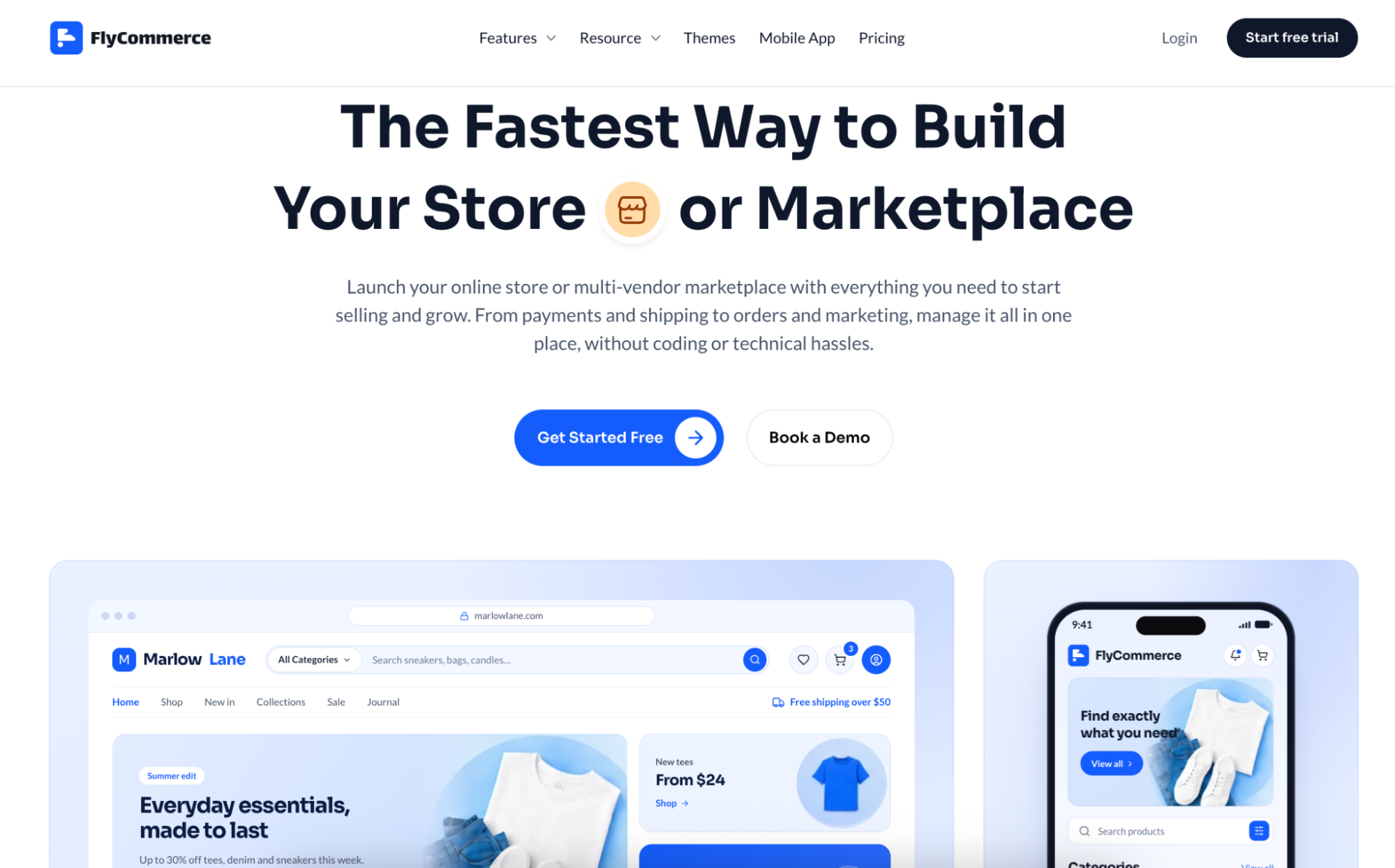
FlyCommerce is a no-code, cloud-hosted SaaS ecommerce platform for businesses that want to launch and manage an online store without dealing with hosting, servers, WordPress, WooCommerce, or plugin maintenance.
It is a strong fit for small businesses because it removes the early technical barriers that usually slow down ecommerce projects.
You do not need to set up hosting.
You do not need to install WordPress.
You do not need to manage plugins.
You do not need a developer for basic launch tasks.
You can build your storefront, add products, manage orders, connect payments, configure shipping and tax settings, improve SEO, track performance, and run your ecommerce business from one managed platform.
That is important for small businesses because most small teams do not have a dedicated ecommerce engineer, server admin, or technical operations team.
FlyCommerce is not only a simple website builder. It is built as a managed ecommerce platform with store operations, selling workflows, and growth tools included.
Why FlyCommerce is strong for small businesses
FlyCommerce gives small businesses a lower-friction path to ecommerce.
Its pricing is friendly for businesses that want to start lean. FlyCommerce offers a $1 first month offer, a 14-day free trial, and Shop plans that start at $29/month monthly or $20/month when billed annually.
FlyCommerce also keeps the entry cost low without forcing small businesses to give up the essential tools they need to launch, sell, and manage a real online store.
That makes it useful for small businesses that want to start without building their store from separate tools.
The strongest advantages are:
- No-code storefront building
- Fully cloud-hosted setup
- No hosting or server management
- No WordPress or WooCommerce dependency
- No plugin maintenance
- Unlimited products on Shop plans
- Core ecommerce features available from the start
- Product, order, payment, shipping, tax, SEO, analytics, and reporting workflows
- AI support for product content and store workflows
- Global and regional payment gateway support
- Separate plans for online stores, marketplaces, and Enterprise needs
The key point is not that FlyCommerce is only for small businesses.
It is that FlyCommerce is accessible enough for small businesses, while still being structured for more serious ecommerce operations.
Why FlyCommerce is not only for small businesses
A small business platform should not become useless when the business grows.
That is where FlyCommerce has an important advantage.
It offers entry-level plans for smaller teams, higher plans for growing and established stores, marketplace plans for businesses that operate vendor-based models, and Enterprise plans for custom requirements.
A small business can use FlyCommerce to launch. A growing store can use it to manage stronger ecommerce operations. A larger team can discuss Enterprise requirements when the business needs more support, customization, or scale.
So FlyCommerce should not be understood as a “small business only” platform.
It is better to understand FlyCommerce this way:
FlyCommerce is small-business accessible, but built for serious ecommerce operations.
FlyCommerce key strengths
- Hosted setup for non-technical teams
- Clear entry pricing with $1 first month
- Core ecommerce features available from the start
- No-code store building
- Built-in ecommerce operations
- Regional payment support
- AI-assisted content and store workflows
- Useful for online stores and marketplace operators
- Good fit for businesses that do not want to build an ecommerce stack from scratch
FlyCommerce limitations
- Newer SaaS brand compared with Shopify, Wix, and BigCommerce
- Smaller third-party app ecosystem than Shopify
- Region-specific payment and shipping needs should be checked before launch
- Some advanced enterprise requirements may need product or sales confirmation
Choose FlyCommerce if:
You want a cloud-hosted ecommerce platform that helps you launch and manage an online store without technical overhead, plugin maintenance, or assembling your ecommerce stack from disconnected tools.
2. Shopify

Shopify is one of the most recognized ecommerce platforms in the world. It is a strong choice for many small businesses that want a hosted ecommerce platform, a large theme ecosystem, built-in checkout, payment options, sales channels, analytics, and thousands of apps.
Shopify works especially well when you want to sell products through a standard online store model and extend features through apps as your business grows.
Shopify key strengths
- Mature ecommerce platform
- Large app ecosystem
- Strong theme marketplace
- Hosted setup
- Good checkout experience
- Multi-channel selling options
- Strong brand recognition
- Useful for many traditional online stores
Shopify limitations
- Many advanced workflows depend on apps
- App costs can increase over time
- Marketplace workflows usually require third-party apps or custom work
- Third-party payment rules should be reviewed carefully
- Some small businesses may outgrow the basic setup and need a larger app stack
Choose Shopify if:
You want a widely adopted ecommerce platform with a large app ecosystem and are comfortable extending the store through apps as your needs grow.
3. WooCommerce
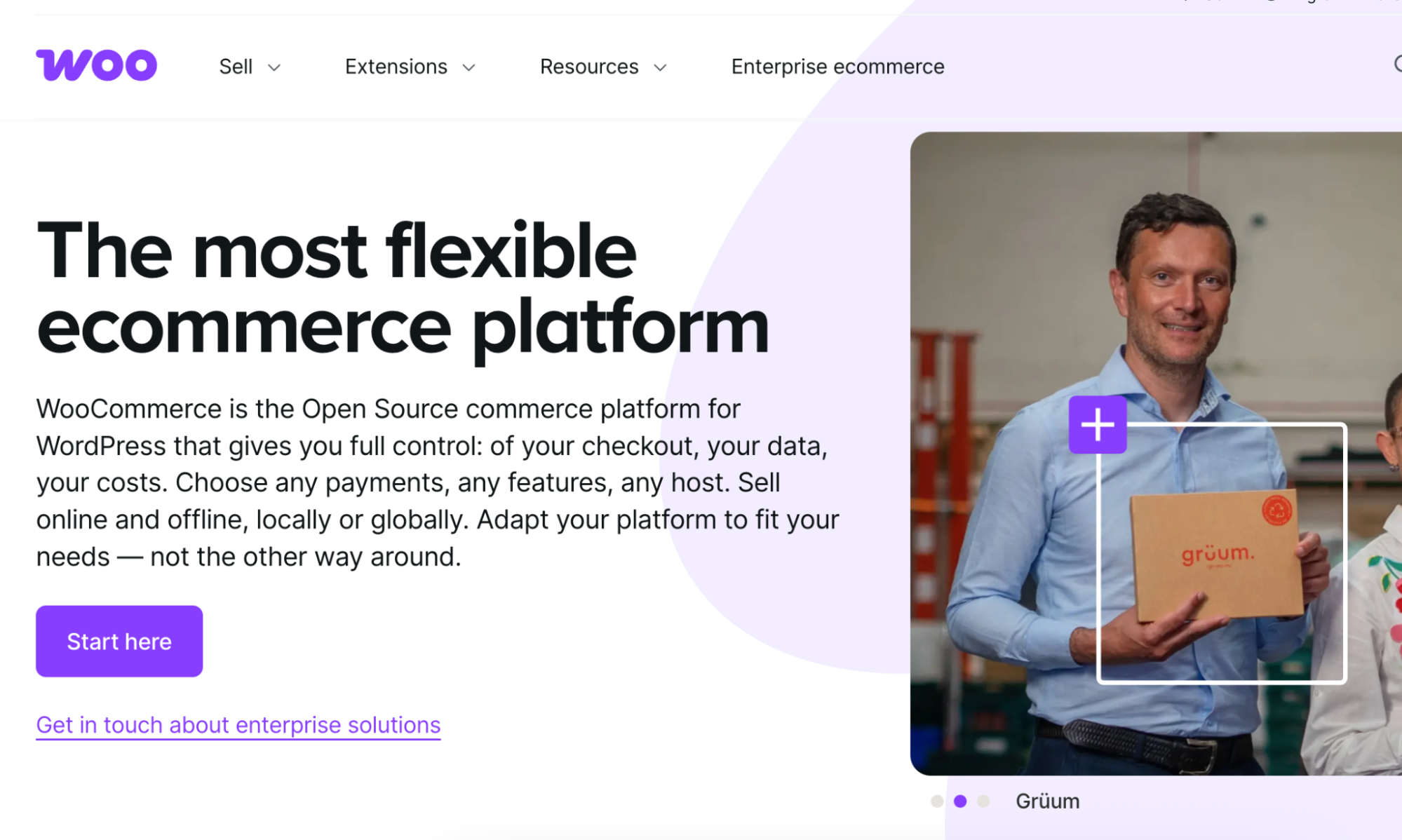
WooCommerce is a strong option if you already use WordPress and want to add ecommerce to your existing site.
It gives you a high level of flexibility, strong content control, and access to a large WordPress plugin ecosystem.
WooCommerce can work well for content-led businesses, bloggers, publishers, service businesses with products, and teams that already understand WordPress.
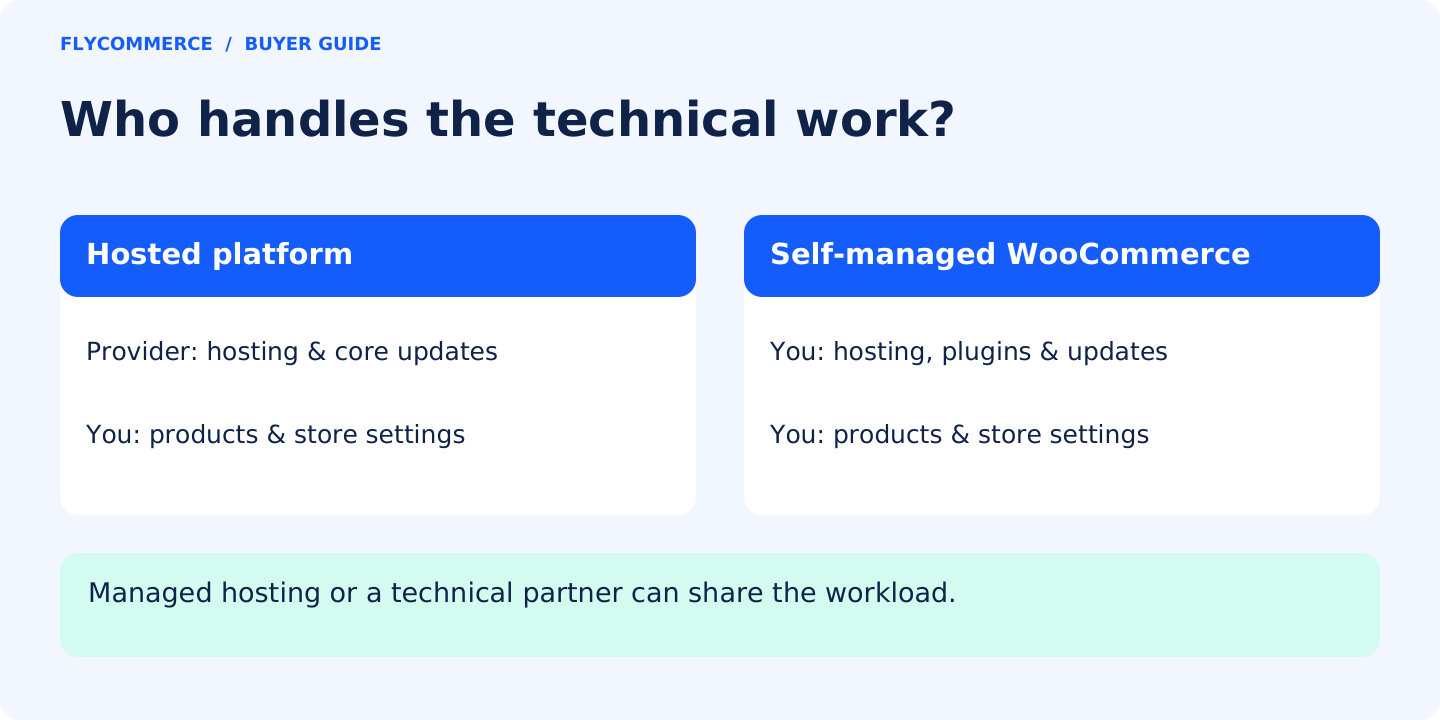
But WooCommerce is usually more technical than hosted SaaS platforms.
You need to manage hosting, WordPress, WooCommerce, plugins, updates, performance, security, backups, and compatibility.
That flexibility is powerful, but it comes with responsibility.
WooCommerce key strengths
- Strong WordPress integration
- Flexible and customizable
- Good for content-led ecommerce
- Large plugin ecosystem
- More ownership over the site setup
- Useful for businesses already invested in WordPress
WooCommerce limitations
- Requires hosting
- Requires WordPress maintenance
- Plugin conflicts can happen
- Security and performance need attention
- Can become complex as the store grows
- Non-technical users may need developer support
Choose WooCommerce if:
You already use WordPress, want more control, and are comfortable managing hosting, plugins, updates, and technical maintenance.
4. Wix Ecommerce

Wix Ecommerce is a good option for small businesses that want an easy visual website builder with ecommerce features.
It is useful for simple stores, local businesses, service businesses, creators, and beginners who want to design pages visually without dealing with technical setup.
Wix can be a good choice when the store is simple and design flexibility matters more than advanced ecommerce operations.
Wix Ecommerce key strengths
- Easy drag-and-drop editor
- Beginner-friendly setup
- Good design flexibility
- Useful for simple stores
- Strong for service businesses and small websites
- Good option for users who want visual editing
Wix Ecommerce limitations
- Less suitable for complex ecommerce operations
- May not be ideal for large catalogs
- Marketplace workflows are limited
- Advanced backend needs may require another platform later
Choose Wix Ecommerce if:
You want a simple ecommerce website and care more about visual editing than advanced ecommerce operations.
5. Squarespace Commerce

Squarespace Commerce is a good fit for businesses that care about design, presentation, and simple ecommerce.
It works well for creators, artists, lifestyle brands, small product lines, portfolio-led businesses, and visual brands.
The platform is known for clean templates and a polished website editing experience.
It is best when the catalog is simple and the business does not need complex operational workflows.
Squarespace Commerce key strengths
- Beautiful templates
- Clean design experience
- Good for creators and lifestyle brands
- Simple product setup
- Strong visual presentation
- Easy website management
Squarespace Commerce limitations
- Less suitable for complex ecommerce operations
- Limited marketplace functionality
- Not ideal for large catalogs
- Fewer advanced ecommerce controls than commerce-first platforms
Choose Squarespace Commerce if:
You want a beautiful, simple storefront for a creative brand, lifestyle business, or small product catalog.
6. Square Online
Best for: local businesses selling in person and online

Square Online is a practical ecommerce option for small businesses that already use Square POS.
It is especially useful for local retailers, restaurants, cafes, service businesses, and shops that want to connect in-person sales with online ordering.
Square Online is not always the most flexible ecommerce platform, but it is convenient when your offline and online sales need to work together.
Square Online key strengths
- Good fit for Square POS users
- Useful for local businesses
- Supports online ordering
- Works well for pickup and delivery workflows
- Helps connect in-person and online sales
- Simple entry point for offline businesses moving online
Square Online limitations
- Less flexible for advanced ecommerce
- Limited for complex catalogs
- Not ideal for marketplace models
- Design flexibility may be more limited than Wix or Squarespace
Choose Square Online if:
You already use Square and want a simple way to sell online while keeping in-person and online sales connected.
7. BigCommerce

BigCommerce is a hosted ecommerce platform often used by growing stores and mid-market ecommerce teams.
It can support more advanced ecommerce requirements, larger catalogs, multi-channel selling, and stronger built-in commerce features.
BigCommerce can be a good fit when a small business is already moving into a more serious ecommerce stage.
BigCommerce key strengths
- Strong built-in ecommerce features
- Good for larger catalogs
- Useful for growing brands
- Multi-channel selling support
- More ecommerce depth than beginner website builders
- Good for mid-market teams
BigCommerce limitations
- May feel complex for beginners
- Can be more than a very small store needs
- Some setups may need technical help
- Marketplace workflows may require additional setup
Choose BigCommerce if:
You have a growing catalog, more advanced ecommerce needs, and want a hosted platform with strong built-in commerce features.
8. Ecwid by Lightspeed

Ecwid is useful when you already have a website and want to add ecommerce functionality without rebuilding the whole site.
It can work for small businesses that have an existing website on another platform and want to start selling products with a lighter ecommerce layer.
Ecwid may not be the strongest choice for complex ecommerce operations, but it can be practical for businesses that want to add a simple store to an existing site.
Ecwid key strengths
- Good for adding ecommerce to an existing website
- Simple setup
- Useful for small catalogs
- Works with different site builders
- Practical entry point for light ecommerce
Ecwid limitations
- Less suitable for complex ecommerce operations
- Not ideal for advanced backend workflows
- May not be the best long-term platform for larger ecommerce teams
- Design and control may depend on the existing website setup
Choose Ecwid if:
You already have a website and want to add basic ecommerce functionality without rebuilding from scratch.
Ecommerce Platform Comparison Table for Small Businesses
| Platform | Best for | Main strength | Main limitation |
|---|---|---|---|
| FlyCommerce | Hosted ecommerce without technical overhead | No-code, cloud-hosted platform with core ecommerce features available from the start | Newer SaaS brand with smaller ecosystem than Shopify |
| Shopify | Traditional online stores | Mature platform and large app marketplace | App costs and dependencies can grow |
| WooCommerce | WordPress users | Flexibility and WordPress control | Requires hosting, plugins, updates, and maintenance |
| Wix Ecommerce | Simple drag-and-drop stores | Easy visual website building | Limited for complex ecommerce operations |
| Squarespace Commerce | Visual brands and creators | Strong design and polished templates | Less suitable for complex catalogs or operations |
| Square Online | Local businesses using Square | POS and online selling connection | Less flexible for advanced ecommerce |
| BigCommerce | Growing catalogs and mid-market teams | Strong built-in ecommerce features | Can feel complex or expensive for beginners |
| Ecwid by Lightspeed | Adding ecommerce to an existing site | Simple ecommerce layer for existing websites | Less ideal for larger or more complex stores |
How to Choose the Best Ecommerce Platform for Your Small Business
The right platform depends on what you sell, how you sell, and how much technical work your team can manage.
Use this framework.
Step 1: Start With Your Business Model
Ask:
What kind of ecommerce business am I building?
| Business type | What you need |
|---|---|
| First online store | Easy setup, product management, checkout, payments, shipping, tax, and support |
| DTC brand | Branded storefront, SEO, analytics, promotions, and customer retention |
| Local retail store | Online ordering, pickup, delivery, POS connection, and local payments |
| Creator or visual brand | Beautiful templates, simple product pages, and easy editing |
| WordPress business | WooCommerce or another WordPress-friendly setup |
| Growing product catalog | Strong product management, inventory, reporting, and integrations |
| Marketplace business | Vendor onboarding, seller dashboards, commissions, payouts, and marketplace reporting |
Do not choose a platform before defining your business model.
If you are still weighing a single-vendor store against a marketplace, compare the models in Marketplace vs. Online Store.
A platform that works for a visual portfolio store may not work for a serious product catalog.
A platform that works for one seller may not work for a vendor-based business.
Step 2: Check Technical Responsibility
Small businesses often underestimate technical maintenance.
Before choosing a platform, ask:
- Do I want to manage hosting?
- Do I want to update plugins?
- Do I want to manage security patches?
- Do I want to troubleshoot server problems?
- Do I have a developer?
- Do I want to build with WordPress?
- Do I want a fully hosted SaaS platform?
Hosted platforms like FlyCommerce, Shopify, BigCommerce, Wix, Squarespace, and Square Online reduce technical work.
WooCommerce gives more control, but it also adds more responsibility.
For most small businesses without a technical team, hosted ecommerce is usually easier.
Step 3: Review the Real Cost
Do not only compare monthly plan prices.
Compare total cost.
Check:
- Monthly subscription
- Annual pricing
- Payment processing fees
- Transaction fees
- Paid apps
- Paid themes
- Developer costs
- Maintenance costs
- Migration costs
- Support costs
- Enterprise upgrade costs
A platform can look cheap at first and become expensive later.
A different platform may look slightly higher at the start but include more of what you need.
The better question is:
What will this platform cost after my store is live and operating?
Step 4: Check Built-In Features
A small business usually does not want to build its store from ten separate tools.
Check whether the platform includes:
- Storefront builder
- Product management
- Checkout
- Payment gateways
- Shipping rules
- Tax workflows
- Order management
- SEO tools
- Analytics
- Coupons and promotions
- Customer communication
- Returns and refunds
- AI tools if product content speed matters
- Marketplace workflows if your business model needs vendors
The more essential workflows you get natively, the less you depend on extra apps, plugins, or custom work.
Step 5: Confirm Payment Gateway Support
Payment support can make or break conversion.
A platform may look good, but if it does not support the payment methods your customers trust, you may lose sales.
A US store may need cards, PayPal, Apple Pay, Google Pay, or buy now, pay later options.
A Bangladesh store may need bKash or SSLCommerz.
An India store may need Razorpay.
An Africa-focused store may need Paystack or PayFast.
A Middle East-focused store may need local payment options.
Before choosing a platform, confirm payment support for your target market.
Step 6: Check SEO and Growth Tools
Your store needs traffic.
Check whether the platform supports:
- Editable meta titles
- Editable meta descriptions
- Clean URLs
- Product SEO fields
- Category SEO fields
- XML sitemaps
- Blogging or content publishing
- Social sharing settings
- GA4 integration
- Coupons
- Promotions
- Email integrations
- Retargeting pixels
- Analytics reports
A platform that makes SEO hard can slow down long-term growth.
A platform that lacks marketing tools may force you into more third-party apps earlier than expected.
Step 7: Think Beyond the First Month
Do not choose only for launch day.
Choose for the next stage too.
Ask:
- Can this platform support more products?
- Can it support more orders?
- Can it support more staff users?
- Can it support more markets?
- Can it support the payment methods I need?
- Can it support more advanced reporting?
- Can it support my fulfillment process?
- Can it support enterprise or custom needs later?
- Can it support marketplace operations if that is my business model?
The best ecommerce platform should help you start without slowing you down later.
Pricing and Total Cost: What Small Businesses Should Check
Small businesses are often sensitive to cost.
For a fuller breakdown of setup and ongoing expenses, see Ecommerce Website Costs.
That is normal.
But the lowest starting price is not always the best deal.
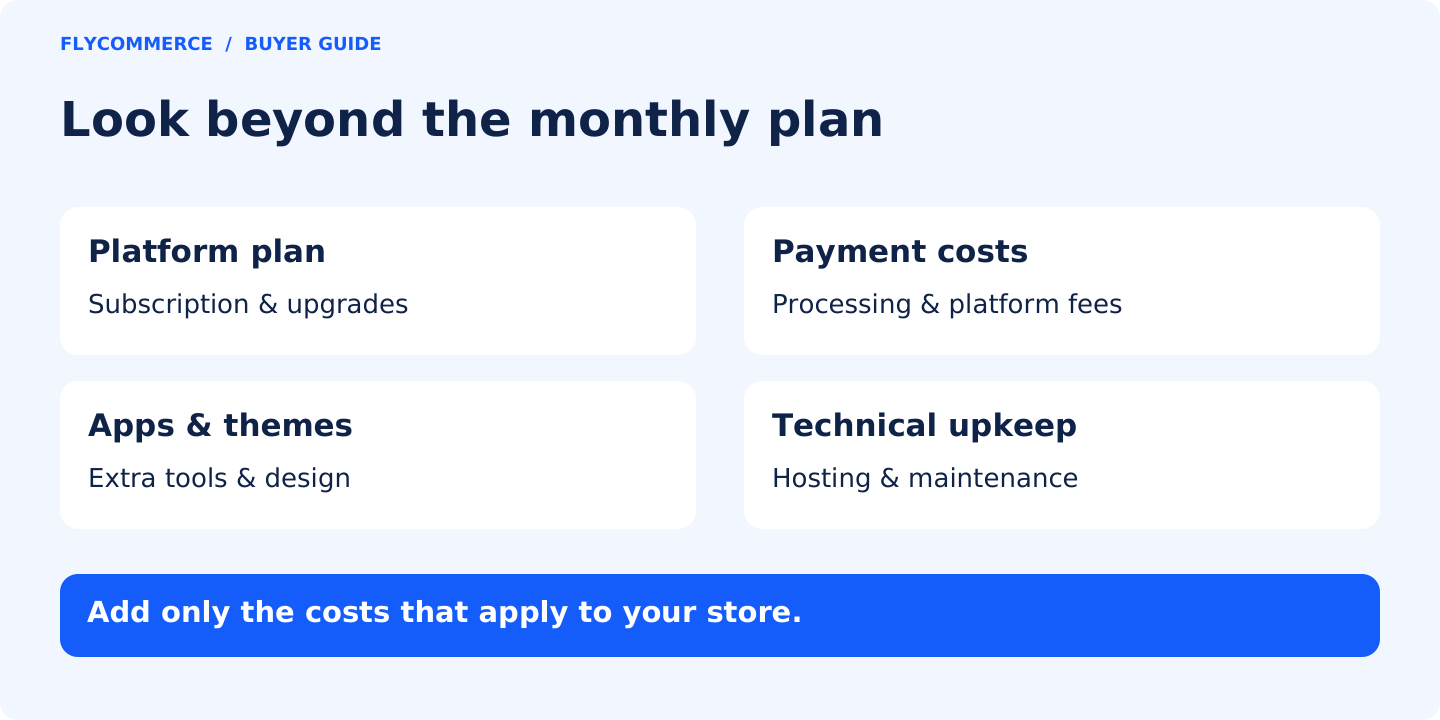
Here is what to compare:
| Cost area | What to check |
|---|---|
| Plan price | Monthly and yearly pricing |
| First-month offer | Whether there is an entry discount |
| Trial | Whether you can test before paying |
| Features | Whether essential tools are included or locked behind higher plans |
| Apps | Whether you need paid apps to make the store usable |
| Themes | Whether professional themes are free or paid |
| Payments | Gateway fees and payment processing costs |
| Support | Whether support is included or plan-based |
| Maintenance | Whether you need developers or technical help |
| Growth cost | What happens when you add more products, users, or orders |
FlyCommerce is strong here because it offers a $1 first month offer, a 14-day free trial, and core ecommerce features from the start. Shop plans start at $29/month monthly or $20/month billed annually, while Marketplace plans start at $79/month monthly or $55/month billed annually.
That pricing structure helps small businesses start without a large upfront software cost.
But the bigger point is this:
Small businesses should avoid platforms where the starting plan looks affordable, but essential selling features require multiple paid apps or upgrades.
Why FlyCommerce Is Strong for Small Businesses and Still Ready for Serious Growth
FlyCommerce should not be seen as a “small business only” platform.
A better way to understand it is:
FlyCommerce is accessible for small businesses and structured for serious ecommerce operations.
That matters.
Small businesses need affordability, ease of use, and a fast path to launch.
Growing businesses need stronger operations, better reporting, more payment flexibility, more team capacity, and support for more complex selling models.
FlyCommerce fits this middle ground because it is hosted, no-code, and easier to start with, but it is also built around operational ecommerce workflows.
It gives small businesses the practical foundation they need:
- A professional storefront
- Product management
- Checkout and payments
- Shipping and tax workflows
- SEO tools
- Analytics and reporting
- Coupons and promotions
- AI content support
- Managed cloud infrastructure
- Support options
- Plans for stores, marketplaces, and Enterprise needs
Not as “just another store builder.”
Not as “only for small businesses.”
But as a hosted ecommerce platform that helps businesses launch, operate, and grow without building the technical stack themselves.
Final Verdict: What Is the Best Ecommerce Platform for Small Business?
There is no single best ecommerce platform for every small business.
The right choice depends on your business model, technical capacity, budget, payment needs, design needs, and growth plan.
Choose FlyCommerce if you want a no-code, cloud-hosted ecommerce platform with lower technical overhead, built-in selling workflows, and room for more advanced ecommerce operations.
Choose Shopify if you want the most familiar hosted ecommerce platform with a large app ecosystem for traditional online stores.
Choose WooCommerce if you already use WordPress and want more control over your ecommerce setup.
Choose Wix Ecommerce if you want a simple drag-and-drop website builder with ecommerce features.
Choose Squarespace Commerce if design and visual presentation matter more than complex ecommerce operations.
Choose Square Online if you already sell in person with Square and want to add online selling.
Choose BigCommerce if you have a growing catalog and need stronger built-in ecommerce features.
Choose Ecwid if you already have a website and want to add ecommerce without rebuilding everything.
The best ecommerce platform for a small business is the one that helps you launch without unnecessary complexity, sell with confidence, and keep operating as the business becomes more serious.
For many small businesses that want ecommerce without technical overhead, FlyCommerce is one of the strongest options to consider.
Related Reading
- How to Choose the Right Ecommerce Platform
- How to Start an Online Store
- Ecommerce Website Costs
- Marketplace vs. Online Store
FAQs About the Best Ecommerce Platform for Small Business
What is the best ecommerce platform for small business?
The best ecommerce platform for small business depends on your business model. FlyCommerce is strong for small businesses that want a hosted, no-code ecommerce platform without technical overhead. Shopify is strong for traditional online stores. WooCommerce is strong for WordPress users. Wix and Squarespace work well for simpler visual websites.
What is the easiest ecommerce platform for small businesses?
The easiest platforms are usually hosted platforms because they reduce technical setup. FlyCommerce, Shopify, Wix, Squarespace, Square Online, and BigCommerce are hosted options. WooCommerce is flexible, but it usually requires more technical maintenance because it runs on WordPress.
Is FlyCommerce good for small businesses?
Yes. FlyCommerce is a strong option for small businesses that want a no-code, cloud-hosted ecommerce platform without managing hosting, servers, WordPress, WooCommerce, or plugins. It is especially useful for teams that want an ecommerce setup with built-in selling workflows and less technical overhead.
Is FlyCommerce only for small businesses?
No. FlyCommerce is accessible for small businesses, but it is not limited to small businesses. It offers plans for growing stores, marketplace businesses, and Enterprise requirements. That makes it suitable for small businesses that want to start lean and for larger teams that need more advanced ecommerce operations.
Is Shopify better than FlyCommerce for small business?
Shopify is better if you want a widely adopted ecommerce platform with a large app ecosystem and strong brand recognition. FlyCommerce is better if you want a no-code, cloud-hosted ecommerce platform with built-in selling workflows and less technical overhead.
Is WooCommerce better for small businesses?
WooCommerce can be good for small businesses that already use WordPress and want more control. But it requires hosting, plugin management, updates, security, and maintenance. For small businesses that do not want technical overhead, a hosted platform may be easier.
What is the cheapest ecommerce platform for small business?
The cheapest platform depends on the full cost, not only the starting plan. You should compare subscription price, payment fees, apps, themes, hosting, maintenance, and developer costs. A low starting price can become expensive if you need several paid apps or technical support.
What should small businesses look for in an ecommerce platform?
Small businesses should look for ease of use, clear pricing, product management, checkout, payment gateways, shipping, tax workflows, SEO tools, analytics, support, and scalability. The platform should help you operate the business, not only build a website.
Do small businesses need a hosted ecommerce platform?
Most small businesses benefit from a hosted ecommerce platform because it reduces hosting, server, security, and maintenance work. Hosted platforms are usually easier for non-technical teams to launch and manage.
What is the best ecommerce platform for local businesses?
Square Online is strong for local businesses already using Square POS. FlyCommerce can also work well for local businesses that want a hosted ecommerce platform with product, payment, shipping, tax, SEO, and analytics workflows in one place.
What is the best ecommerce platform for WordPress users?
WooCommerce is usually the best ecommerce option for WordPress users because it integrates directly with WordPress. But users should be ready to manage hosting, plugins, security, performance, and updates.
What is the best ecommerce platform for growing businesses?
For growing businesses, Shopify, BigCommerce, and FlyCommerce are strong options depending on the business model. Shopify has the largest app ecosystem. BigCommerce has strong built-in ecommerce features. FlyCommerce is strong for hosted ecommerce operations without technical overhead.
FlyCommerce is a no-code, SaaS-based multi-vendor platform featuring a drag-and-drop builder to launch and scale global marketplaces without technical expertise.
The Fastest Way to Build Your Store or Marketplace
Everything you need to get your online store or marketplace up and running. Just follow four simple steps and start selling with FlyCommerce.
Start a 14-day free trial

Written by
Mamunur Rahsid
Md. Mamunur Rahsid is Senior Digital Marketing Strategist (Acting Manager) at weDevs, leading marketing and growth initiatives for FlyWP, FlyCommerce and collaborating on other products. With over 11 years of experience, he specializes in SEO, media buying, video marketing, email marketing, and growth-hacking strategies. Competitor analysis is one of his core strengths, and he is passionate about creating data-driven strategies that optimize user journeys and drive impactful growth.
Outside of work, he enjoys exploring the latest marketing trends, learning about new technologies, and spending quality time with family and friends.